

If you want to change your login password or you’ve forgotten it, follow the steps below. For security reasons, you will not be able to withdraw funds or trade for 24 hours after resetting your password.
Changing Login Password via Website
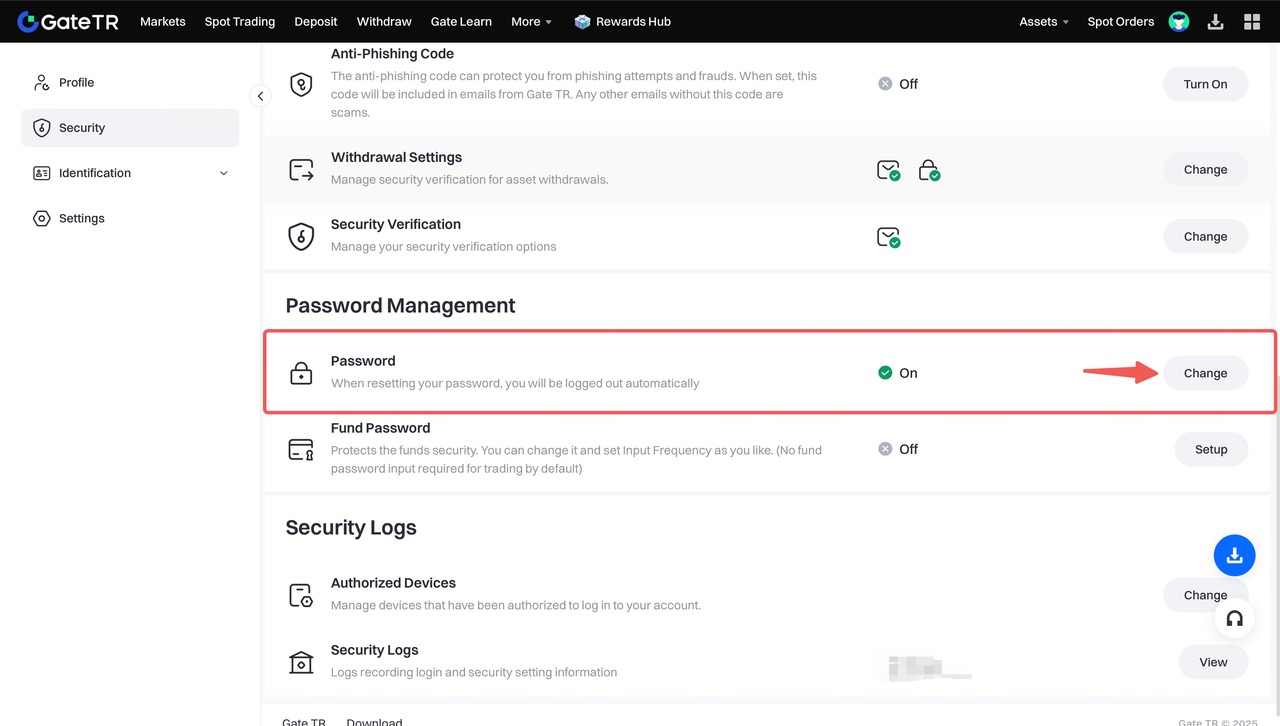
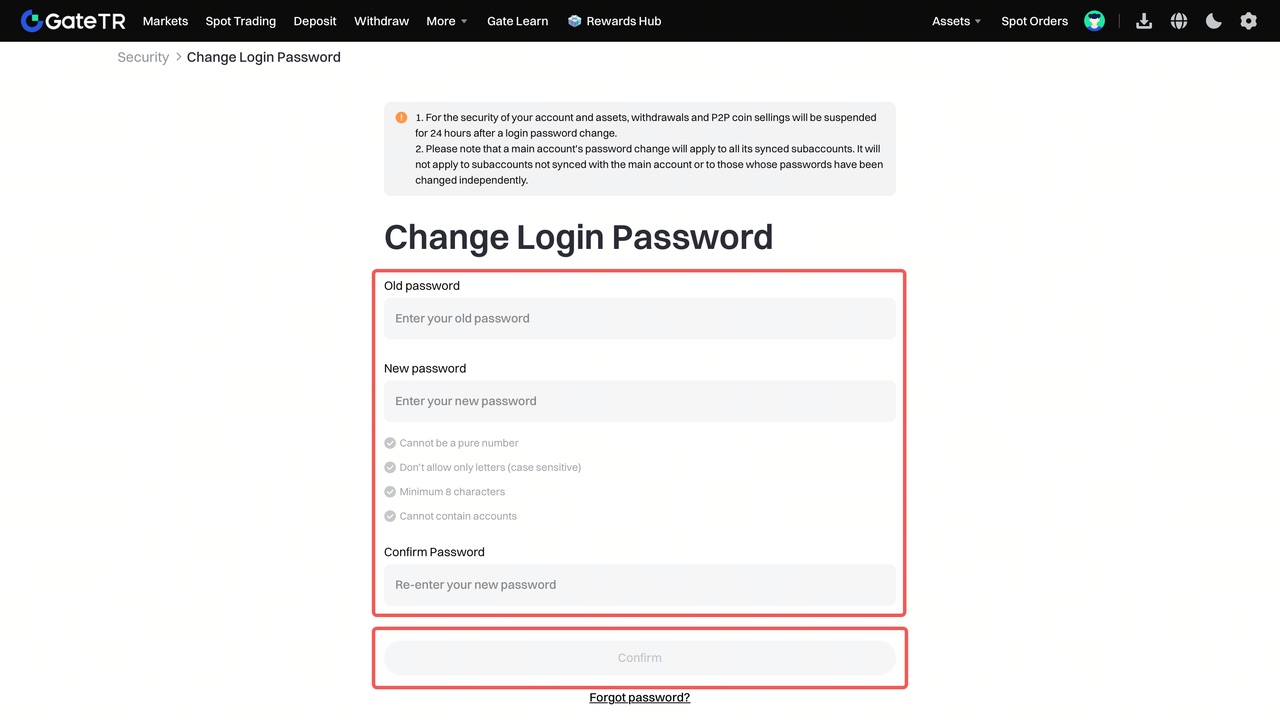
Step 1: If you remember your current password, log in to your account.
Step 2: Click the profile icon at the top right, then select Security Settings.

Changing Login Password via App
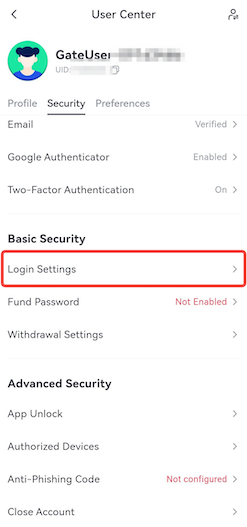
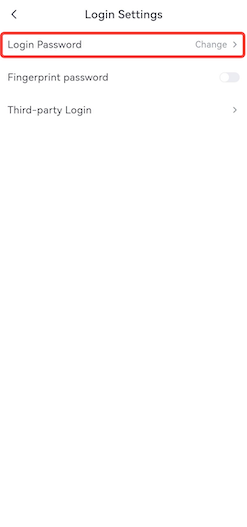
Step 1: Open the Gate TR mobile app and log in. Tap the profile icon in the top left, go to the Security tab, and open the Login Settings page.
Forgot Your Password?
If you’ve forgotten your login password, follow these steps:
Step 1: On the login page, click “Forgot your password?”
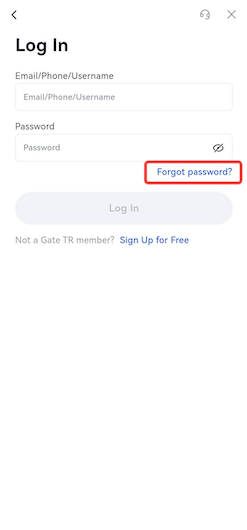
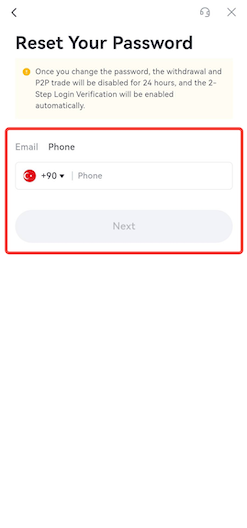
Step 2: Choose to reset your password via email or phone number, then follow the instructions to complete the reset.
Steps to follow for resetting via email:
- Enter your email address and click the Next button.
-
Enter the verification code sent to your email and click the Confirm button.
**Steps to follow to reset via telephone:**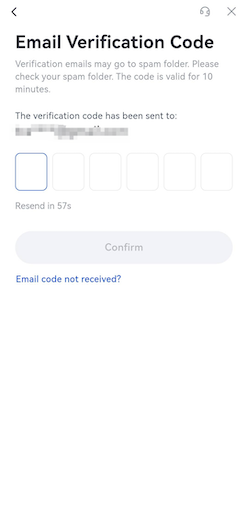
-
Enter the telephone number registered to your account and click the Next button.
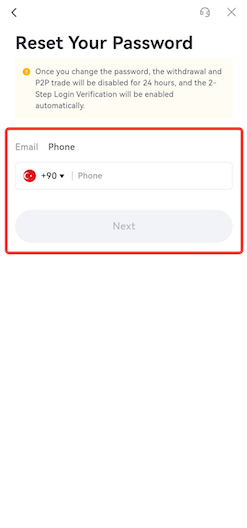
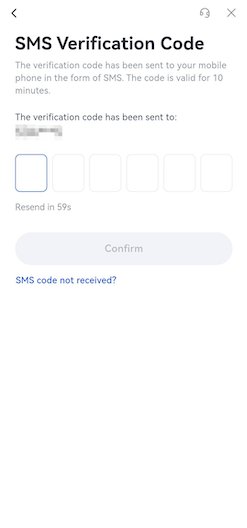
- Enter the verification code sent to your phone number and click the Confirm button.
- You cannot trade or withdraw funds for 24 hours after resetting your password.
- Do not use simple passwords like “123456” or “password.” Use a combination of letters, numbers, and special characters, and make sure it’s at least 8 characters long.
- After resetting your login password, you will be automatically logged out. You will need to log in again using your new password.
For any issues, feel free to contact destek@gate.com.tr. You can also use the Gate TR app: go to your profile and tap the microphone icon in the top right to reach the Help Center and speak with a support agent.
You can also submit feedback through our Suggestions & Feedback page to win rewards!
