

After creating an account, users can continue with identity verification and other account security settings before using services that require KYC. Gate TR currently provides separate verification procedures for individual users, so completing registration and completing KYC should be viewed as two related but separate steps.
Key Takeaways
- A Gate TR account can be created through the Gate TR website.
- The registration process requires basic information such as an email address and login password.
- You need to accept the User Agreement and other required confirmations during registration.
- A 6-digit verification code is sent to the email address or phone number provided during registration.
- After registration, you can proceed with KYC identity verification if your account needs access to services that require verification.
- Gate TR also provides a mobile app for users who prefer to access their account through a mobile device.
What Do You Need to Create a Gate TR Account?
Before creating your account, prepare an email address or phone number that you can access. You will need to receive a verification code during the registration process.
You should also create a secure login password and review the User Agreement and other confirmations displayed on the registration page before submitting your application. Gate TR’s current web registration guide specifically instructs users to provide their email address, login password, and other required information before selecting Create Account.
For users who plan to continue with identity verification after registration, it is also useful to have the information and documents required for KYC available. Gate TR’s current individual verification process includes personal information, an ID card, a selfie, and proof of residence.
How to Create a Gate TR Account
The following steps are based on Gate TR’s current web registration process.
Step 1: Visit the Gate TR Website
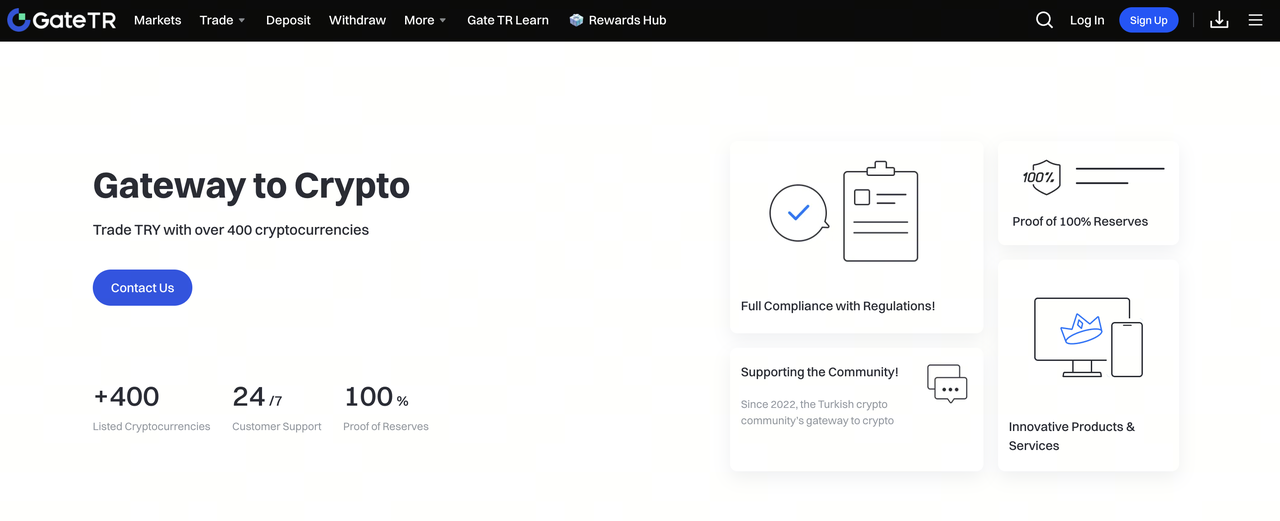
Open the official Gate TR website and select Sign Up in the upper-right corner of the homepage.
This takes you to the account creation page, where you can enter the information required to register your account.
You can also access the official Gate TR website to begin the registration process.
Step 2: Enter Your Account Information
On the Create Account page, enter the requested registration information.
The current Gate TR registration guide specifically lists information such as:
- Email address
- Login password
- Other required registration information
Use an email address or phone number that you can access because Gate TR will use it to send a verification code during the registration process.
Step 3: Review the User Agreement
Before creating the account, review the User Agreement and other confirmations displayed on the registration page.
Accept the required agreements and confirmations, then select Create Account to submit your registration.
This step is important because the account creation process requires users to acknowledge the applicable terms before registration can be completed.
Step 4: Enter the Verification Code
After submitting your registration information, Gate TR will send a 6-digit verification code to the email address or phone number provided during registration.
Enter the code on the verification page and select Confirm.
Once the verification is successful, the registration process is complete and you will be redirected to the login page.
Step 5: Log In to Your Gate TR Account
After completing registration, log in using your newly created account credentials.
At this stage, you have created your Gate TR account, but some platform services may require additional identity verification before they become available.
What Should You Do After Creating a Gate TR Account?
Creating an account is only the beginning of the Gate TR onboarding process. Depending on the services you want to use, you may need to complete KYC and configure additional security settings.
Complete Gate TR Identity Verification
Gate TR requires users to complete KYC for services that require identity verification. According to the current Gate TR Help Center, users who complete KYC can deposit and withdraw cryptocurrencies and trade with fiat currencies.
The individual verification process includes personal information, residential information, phone verification, ID card scanning, selfie verification, and a Residence Certificate. After the initial review, users also need to complete Video Call Verification.
For a detailed walkthrough, see Gate TR KYC verification.
Set Up Account Security
After registration, you can also configure additional security settings for your account.
Gate TR currently provides security options including email linking, phone number management, fund password, and two-factor authentication. Its 2FA guide recommends having at least two verification methods linked to the account before enabling two-factor authentication.
This makes account security a useful next step after completing registration.
Download the Gate TR Mobile App
Gate TR also provides a mobile application for iOS and Android. The official Help Center currently provides separate instructions for downloading the app on both platforms.
If you prefer managing your account from a mobile device, you can download the app after creating your account and log in with your existing credentials.
Gate TR Account Registration vs. KYC Verification
Account registration and KYC verification are related but different stages of the onboarding process.
The registration process creates your account, while KYC verifies the identity information associated with that account. Gate TR maintains separate guides for account registration and identity verification.
Keeping these stages separate can make the onboarding process easier to understand, especially for users who are new to cryptocurrency platforms.
Common Issues When Creating a Gate TR Account
Verification Code Not Received
If you do not receive the 6-digit verification code, first check whether the email address or phone number entered during registration is correct.
You can also check your email’s spam or junk folder if you registered using an email address. If the issue continues, use the support options provided by Gate TR.
Registration Cannot Be Completed
Make sure all required fields have been completed and that the required agreements and confirmations have been accepted.
If the registration page continues to display an error, you can use the Gate TR Help Center for additional support. Gate TR currently provides 24/7 customer service and lists support channels on its Help Center.
I Created an Account but Cannot Use Certain Services
Creating an account does not necessarily mean that every Gate TR service is immediately available.
Some services require identity verification. If you see an “Identity Verification Required” message, Gate TR instructs users to complete the required KYC process.
You can then continue with Gate TR identity verification.
Frequently Asked Questions About Creating a Gate TR Account
How do I create a Gate TR account?
Visit the Gate TR website, select Sign Up, enter the required registration information, accept the required agreements, and confirm the 6-digit verification code sent to your email address or phone number.
What do I need to register for Gate TR?
The current registration process requires basic account information such as an email address and login password. You also need to accept the required agreements and complete the verification-code step.
Is KYC required after creating a Gate TR account?
KYC is required for services that require identity verification. Gate TR states that users who complete KYC can access crypto deposits and withdrawals and fiat currency trading.
Can I use the Gate TR mobile app after registering on the website?
Yes. Gate TR provides a mobile app for iOS and Android, and users can log in to the app after creating an account.
What should I do if I do not receive the Gate TR verification code?
Check that the email address or phone number you entered is correct. If you registered by email, also check your spam or junk folder. If the issue persists, you can contact Gate TR support through the available Help Center channels.
What should I do after creating a Gate TR account?
A typical next step is to complete KYC if you plan to use services that require identity verification. You can also configure account security features such as email verification, fund password, and 2FA.
Disclaimer
* Legal Notice 1: This content does not constitute investment advice. It is not intended to promote the buying/selling of digital assets and is for informational purposes only. Crypto assets carry high risks and may be subject to significant price fluctuations. Before making any investment decision, you should assess your own financial situation and make an independent decision.
* Legal Notice 2: The data and charts provided in the article are for general informational purposes only. Although all content is carefully prepared, no responsibility is accepted for possible errors or omissions. The Gate TR Learn team may translate this content into different languages. No translated article may be copied, reproduced, or distributed without permission.
Share
Content
Key Takeaways
What Do You Need to Create a Gate TR Account?
How to Create a Gate TR Account
What Should You Do After Creating a Gate TR Account?
Gate TR Account Registration vs. KYC Verification
Common Issues When Creating a Gate TR Account
Frequently Asked Questions About Creating a Gate TR Account


Sign Up
Related Articles



Beginner
Trading Logic of Altcoins: Fundamental Analysis and Technical Analysis
In the crypto market, altcoins involve high risk and high rewards. Unlike more mature Bitcoin, its prices can be easily influenced by news and large investors. This article will teach you how to build a customized altcoin trading strategy using three methods: fundamental analysis, technical analysis, and smart money tracking.
2025-11-24 09:30:10