

What Is a Trusted Address Book?
When trusted addresses are added, you won’t need to re-enter security steps like SMS verification, email code, Google Authenticator/Gate code, or fund password for each withdrawal.
Note: Always ensure the addresses are safe before adding them to your address book.
Steps to Add a Whitelisted Address
Step 1: Log in to your Gate TR account. On the homepage, click the “Withdraw” button.

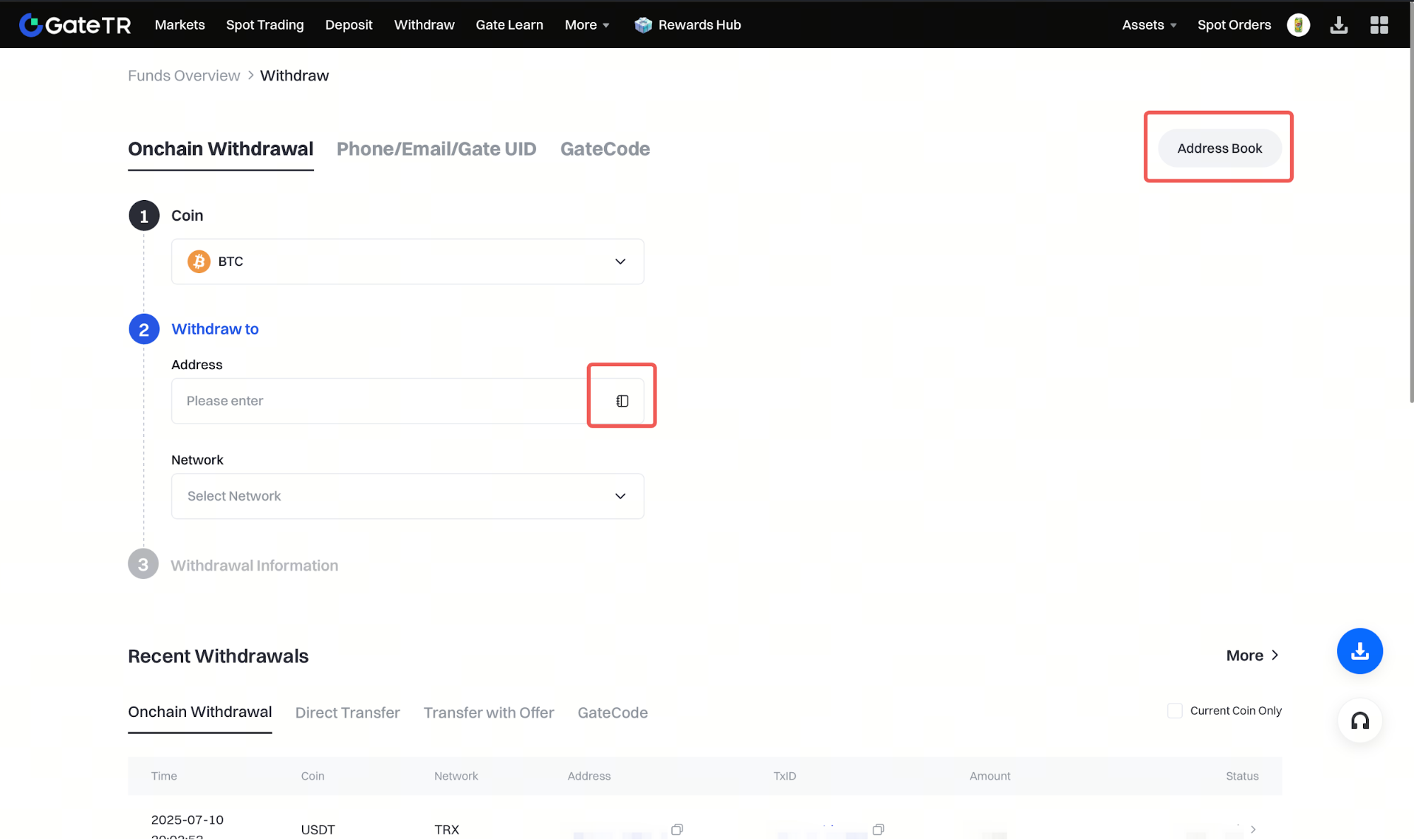
Step 2: On the withdrawal page for any coin, click the “Address Book” button located at the top right or above the address input field.
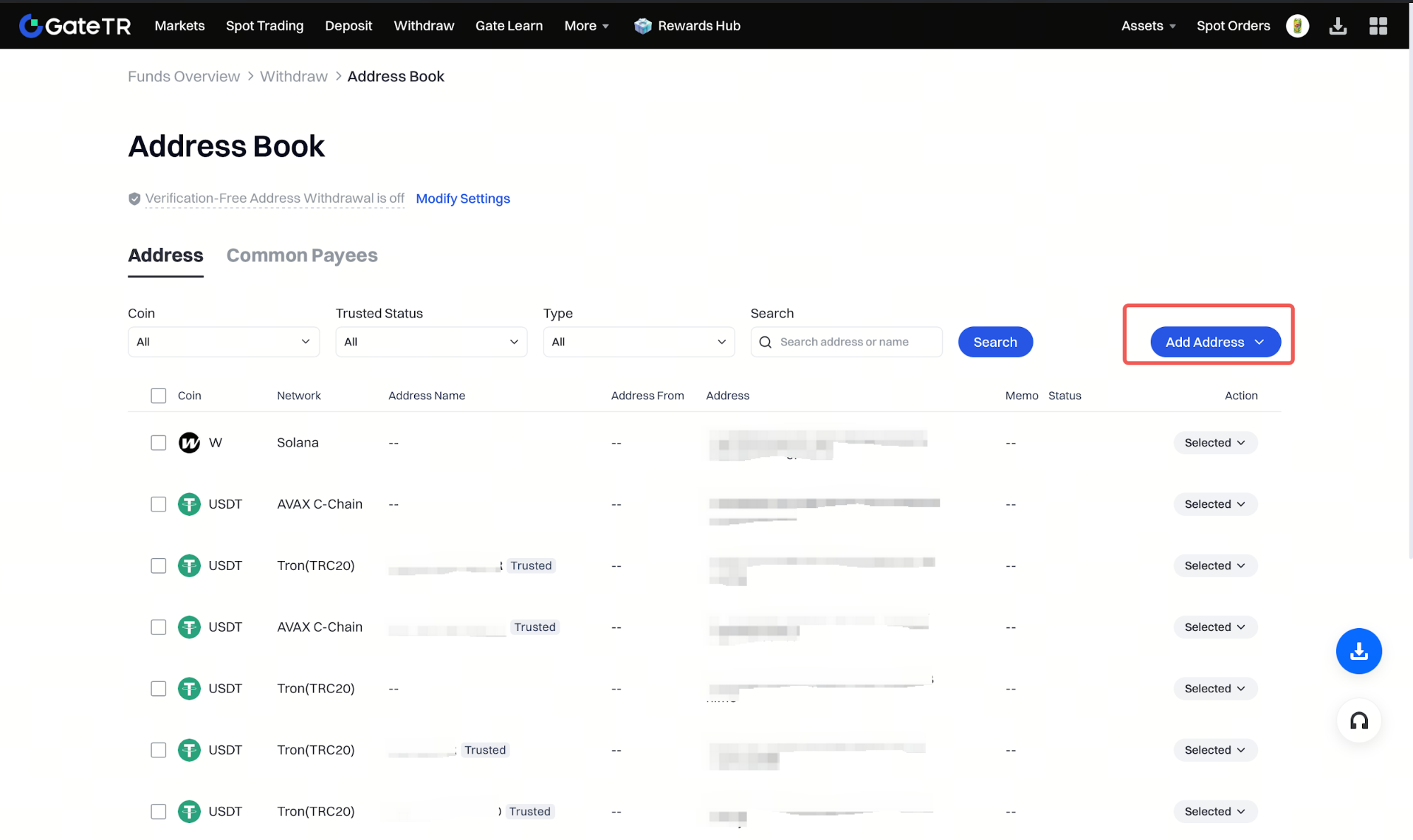
Step 3: On the Address List page, click “Add an Address.”
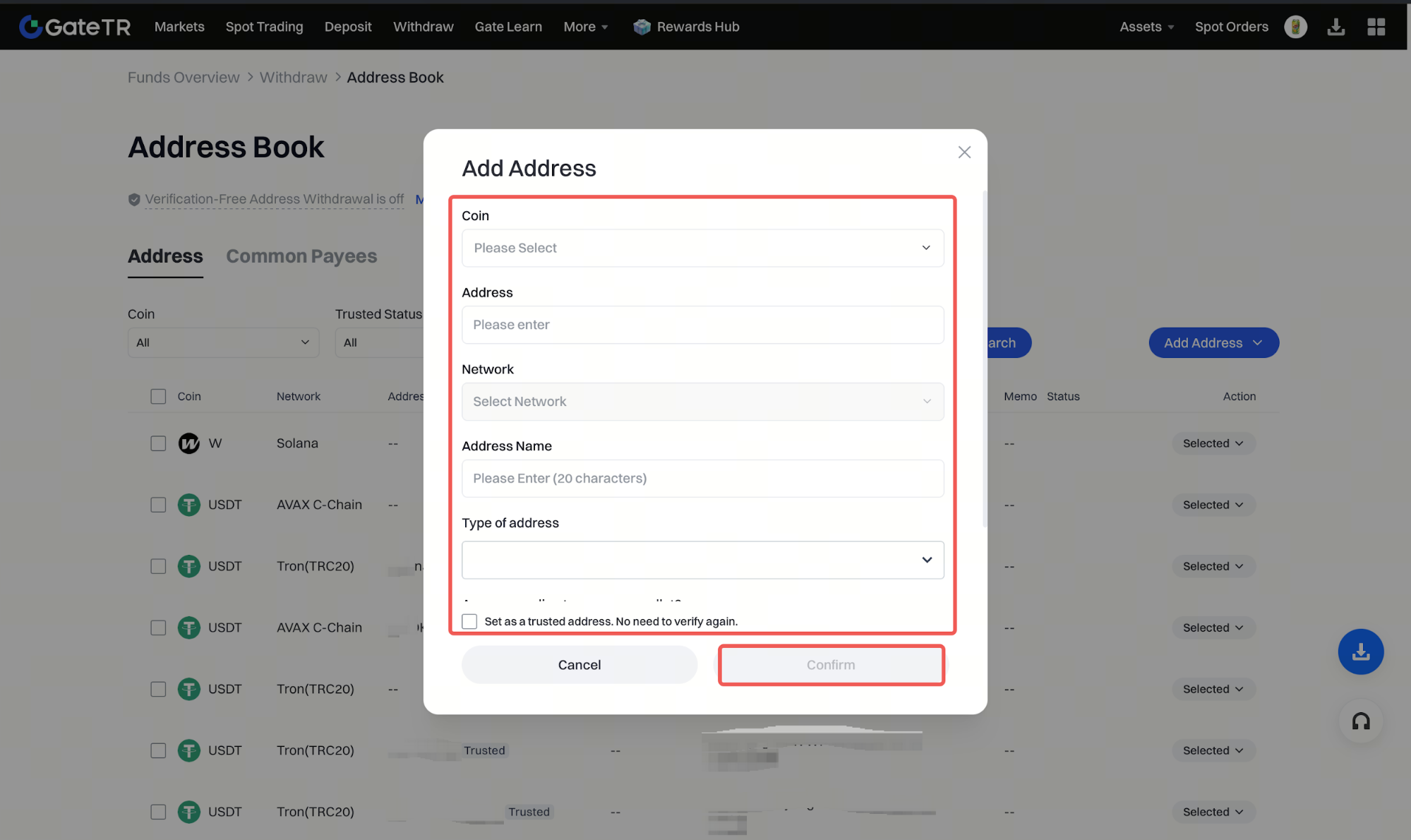
Step 4 :
- Select the correct coin and network
- Enter the withdrawal address and give it a name
- Fill in required information like your fund password and Google Authenticator code
- Optionally check the box “Set as a trusted address. No need for repeated verification.”
- Then click “Confirm”
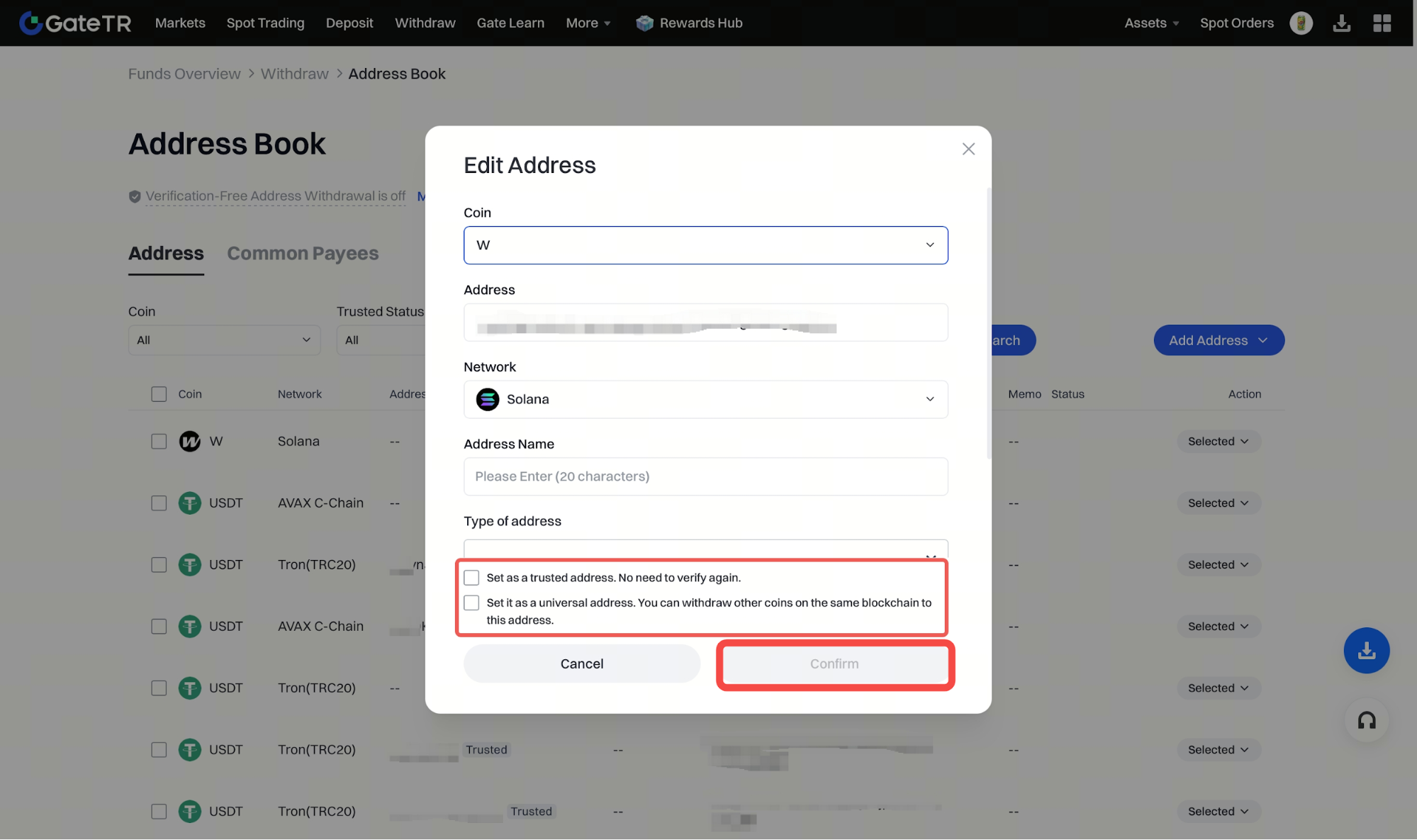
Step 5: Once the address is successfully added, its details will appear on the Address List page.
- Any address you’ve used or not marked as trusted will be listed here
- Click “Edit” to update info or mark the address as trusted
- Click “Delete” to remove addresses you no longer need

For any issues, feel free to contact destek@gate.com.tr. You can also use the Gate TR app: go to your profile and tap the microphone icon in the top right to reach the Help Center and speak with a support agent.
You can also submit feedback through our Suggestions & Feedback page to win rewards!
