

To improve user experience and help resolve delays caused by blockchain congestion, Gate TR offers the “Accelerated Assistance” feature.
If you’ve initiated a deposit and it’s taking longer than expected or the transaction is not showing up, you can use this feature to speed up the process.
Note: After submitting your acceleration request, check your balance within 5 to 30 minutes to see if the deposit has been completed. If the funds still haven’t arrived, you may wait an additional 60 minutes or contact customer service by submitting a support ticket .
How to Use the Accelerated Assistance Feature
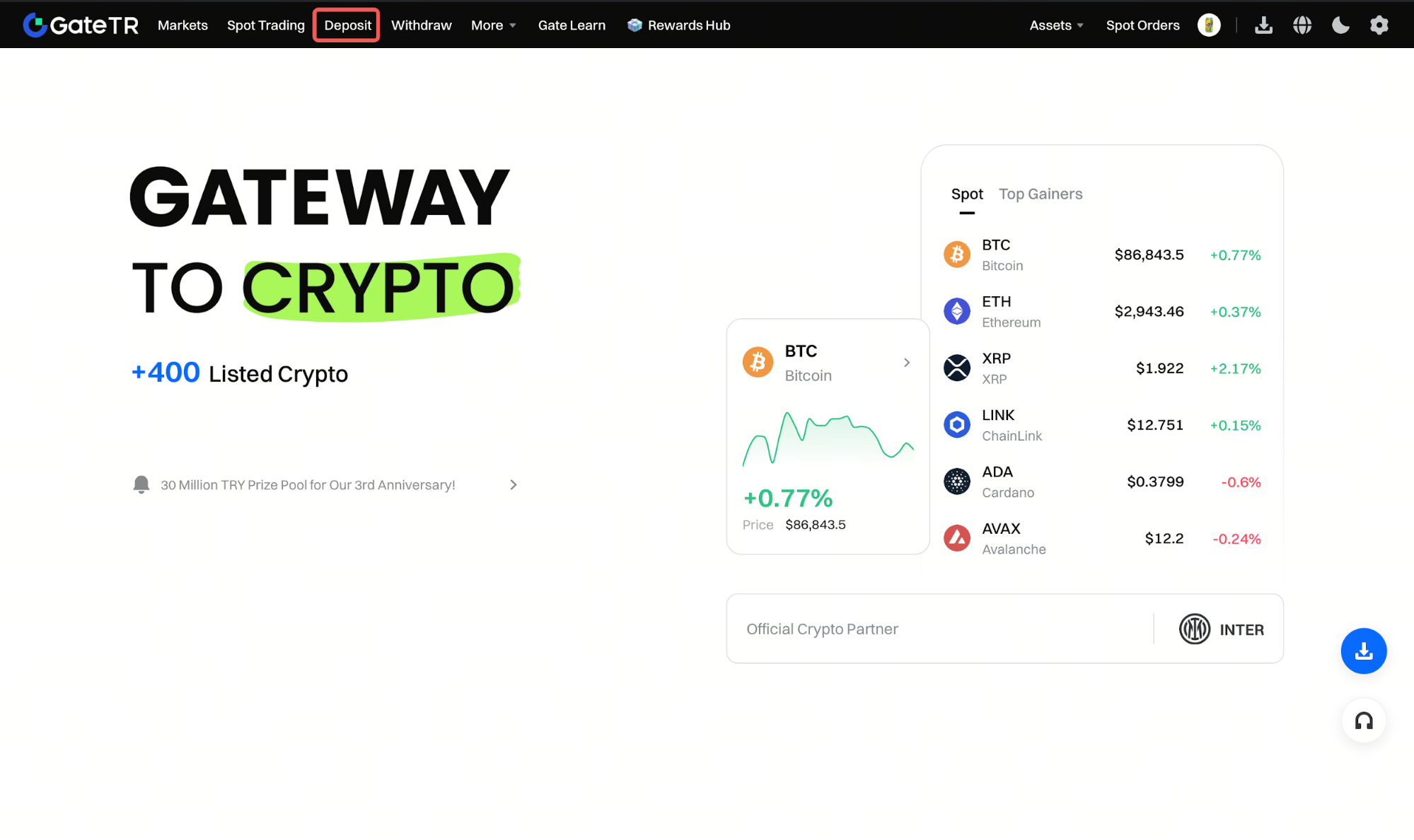
Step 1: Log in to your Gate TR account. On the homepage, click the “Deposit” button.
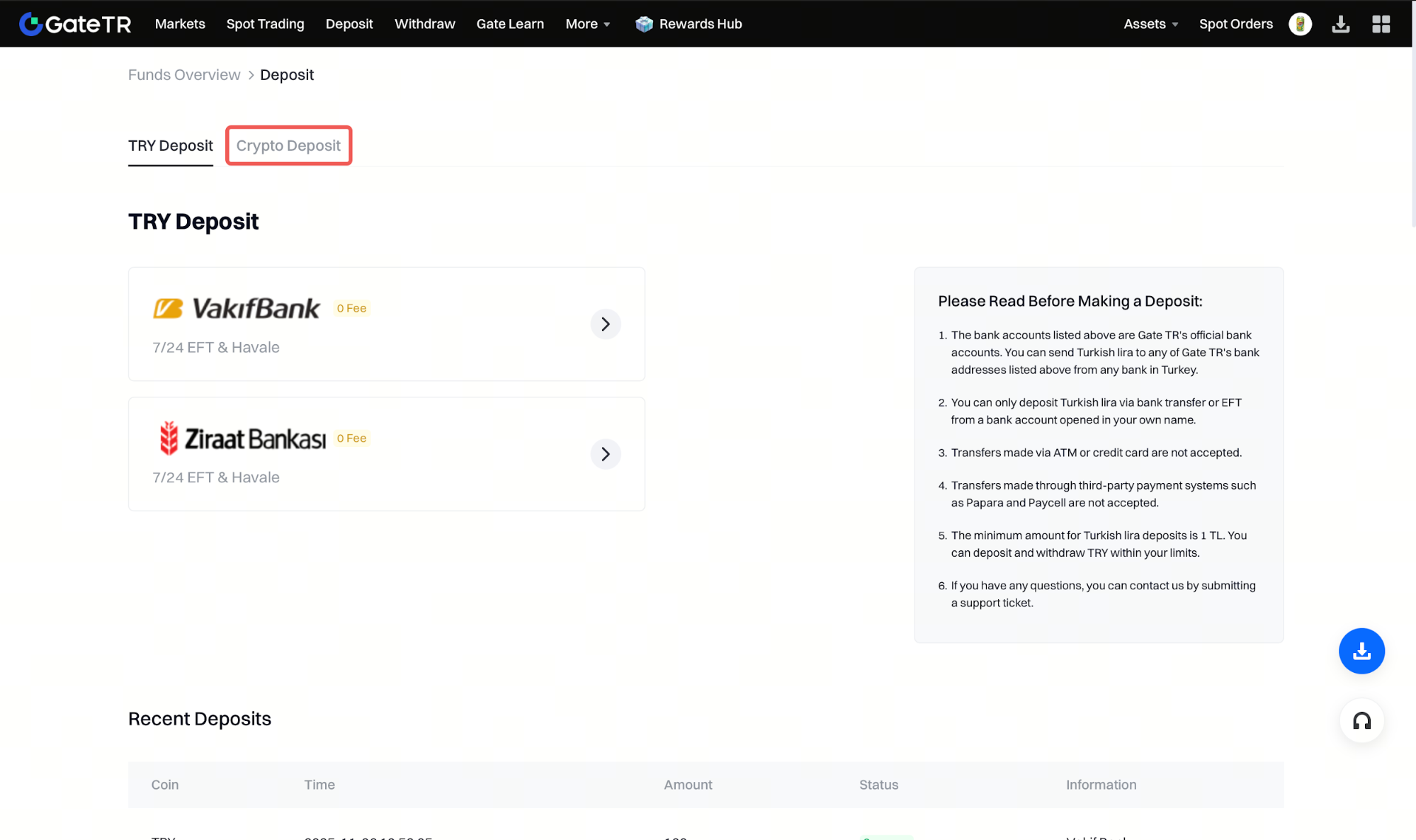
Step 2: Then, click “Crypto Deposit.”
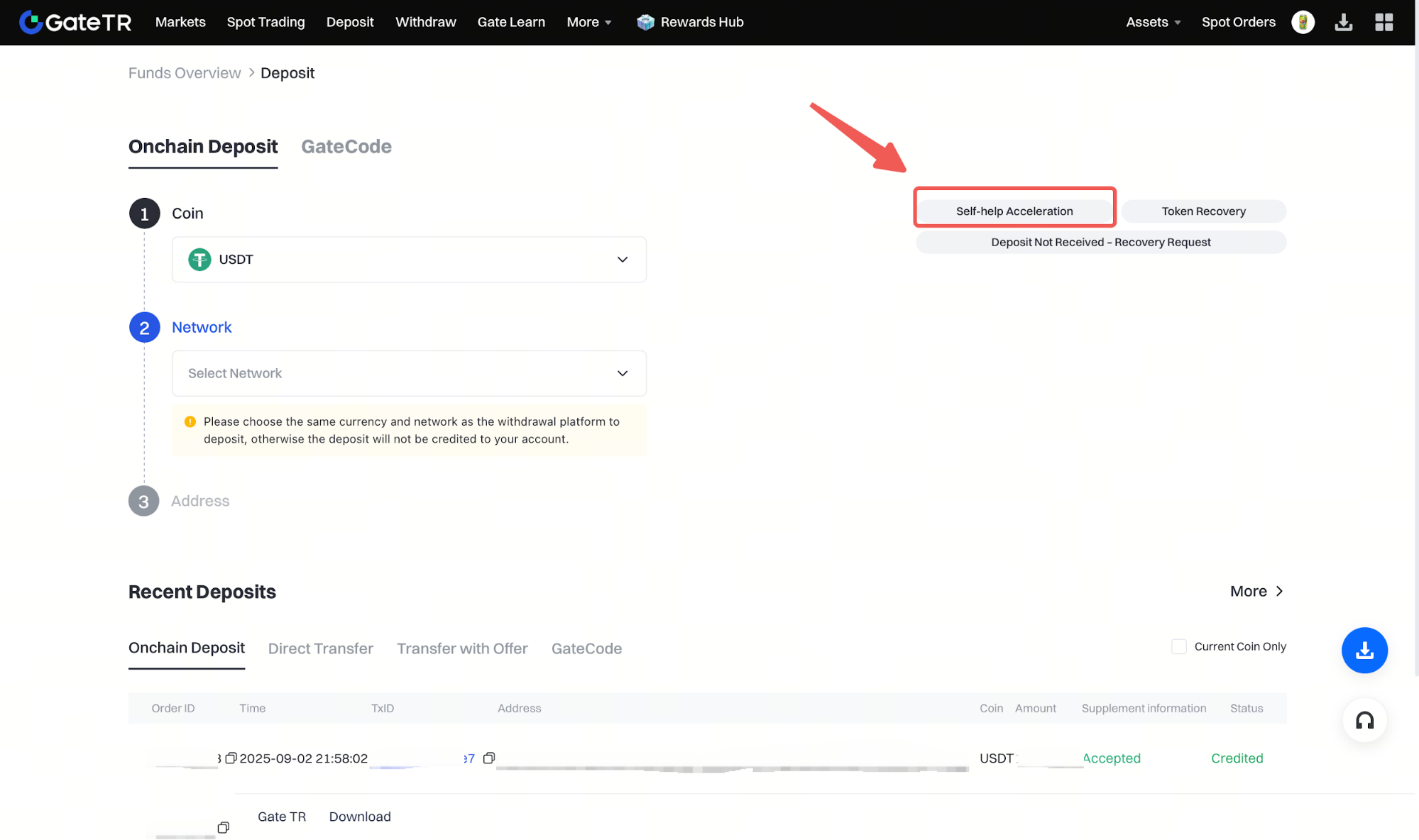
Step 3: Click on the “Self-help Acceleration” link at the top right of the page.
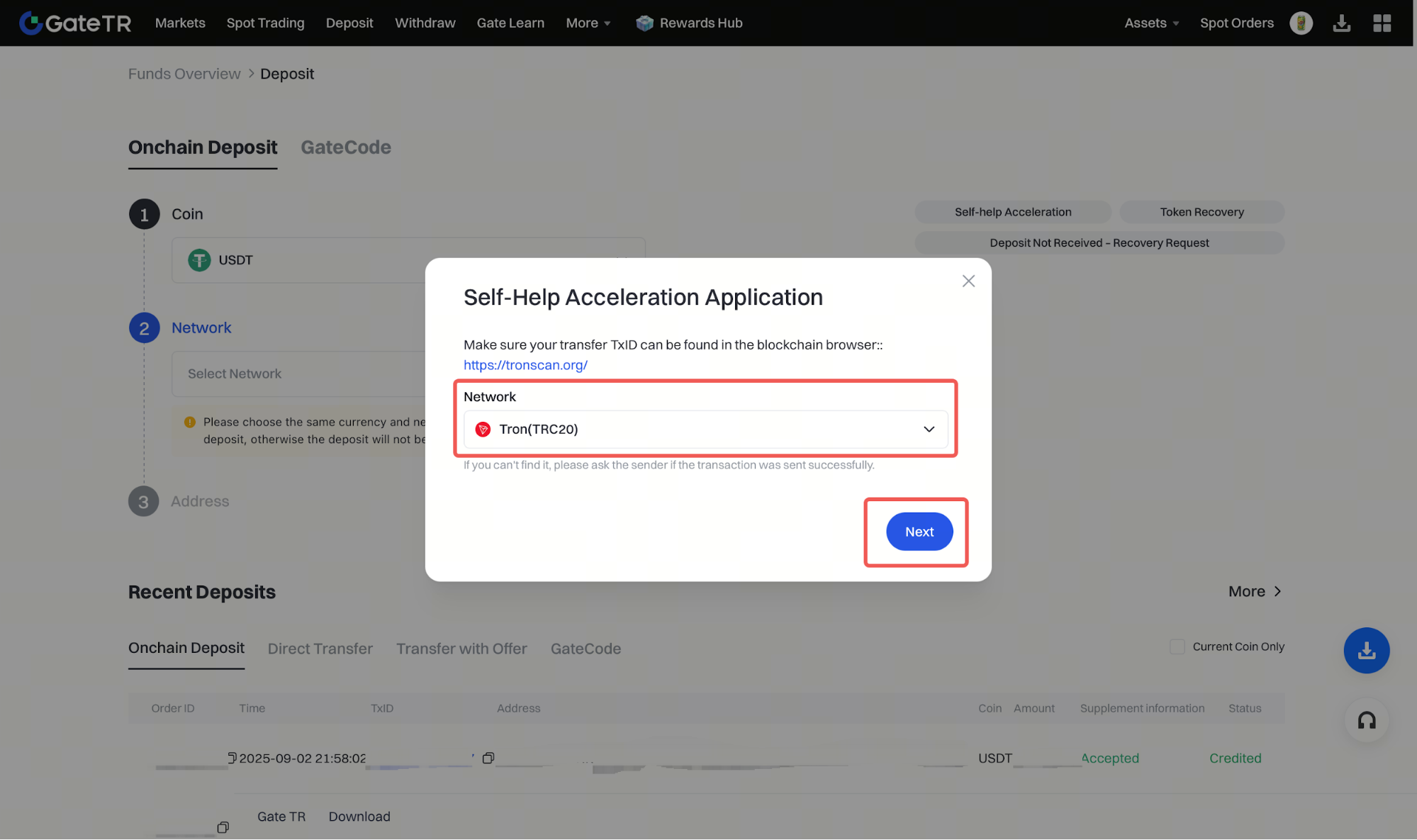
Step 4: From the list, select the network/chain you used for the transaction and click “Next.”
Step 5: Enter the TxID (Transaction ID) and click “Submit” to send your request.

For any issues, feel free to contact destek@gate.com.tr. You can also use the Gate TR app: go to your profile and tap the microphone icon in the top right to reach the Help Center and speak with a support agent.
You can also submit feedback through our Suggestions & Feedback page to win rewards!
