

If you see this message:“A change was detected in your account security settings. To protect your funds, withdrawals will be disabled for 24 hours.” please wait until the 24-hour period ends before trying your withdrawal again.
Why is this message shown?
If you’ve made any changes to your security settings (such as resetting your password or 2FA), the system will automatically disable withdrawals for 24 hours as a precaution. This is a built-in security measure to protect your account.
How can I check exactly when the change was made?
You can view your recent security activity by logging into the website and visiting the Login History page.
Alternatively, follow these steps:
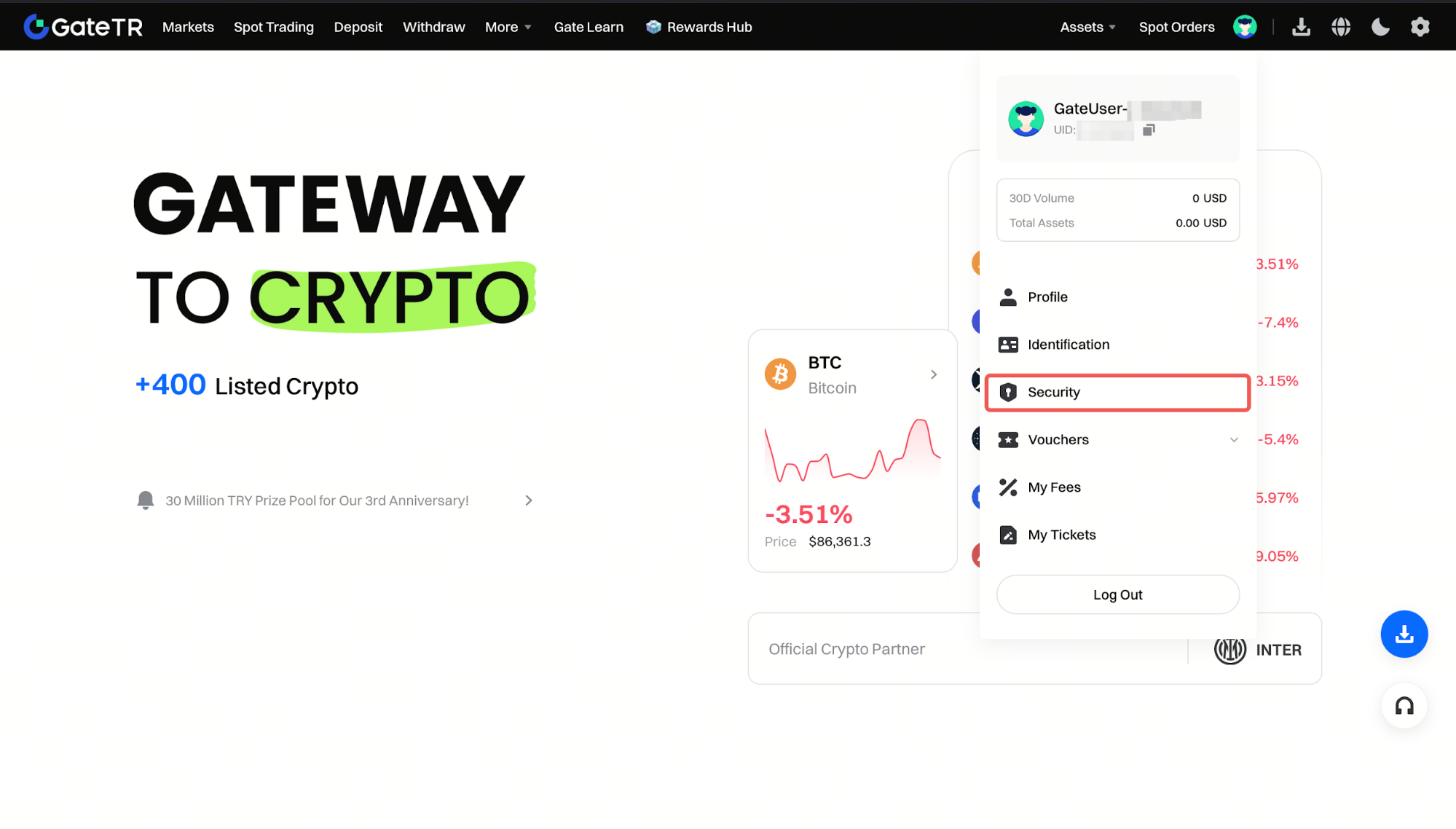
Step 1: Click on the profile icon, then click on the Security page.
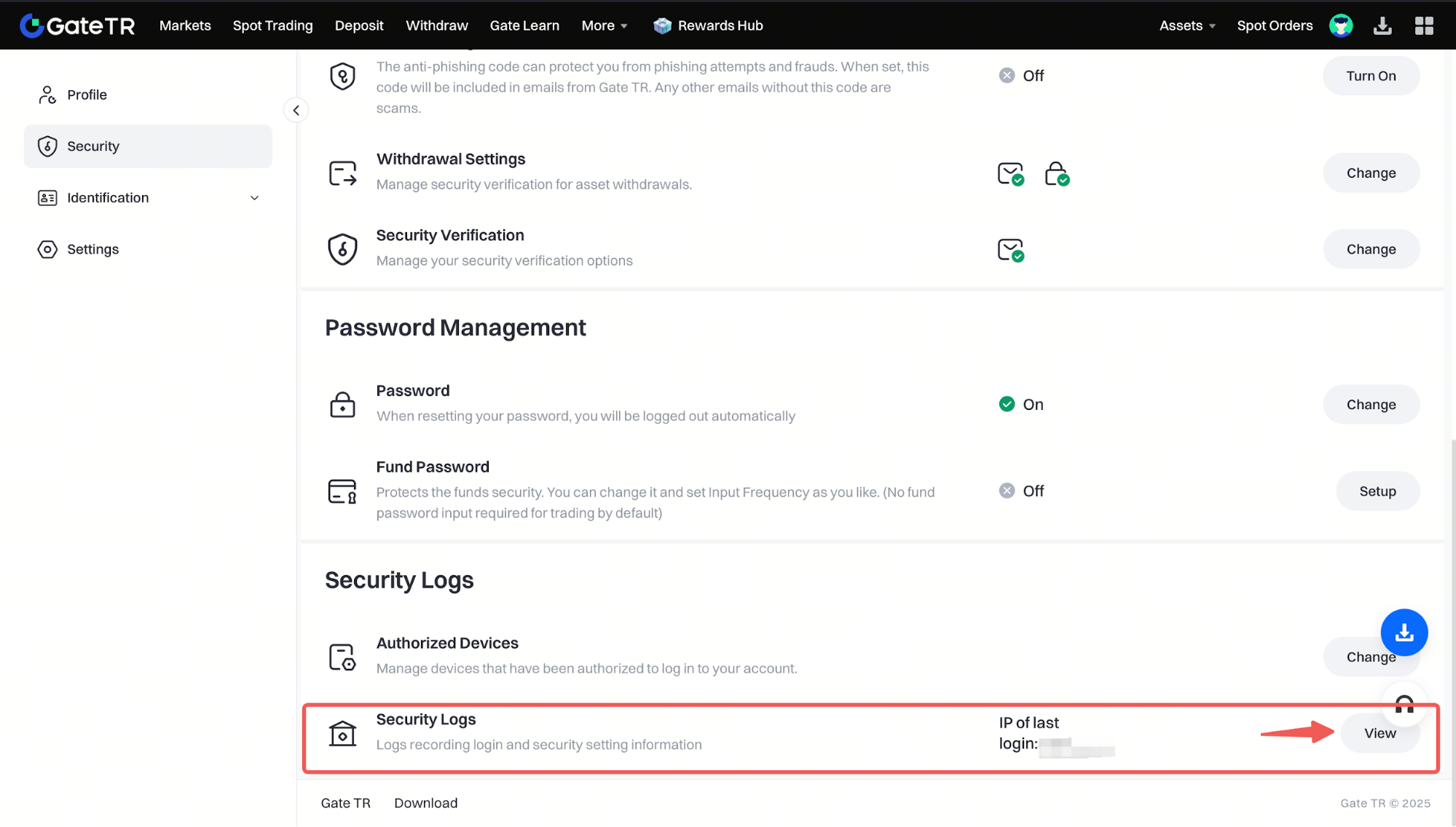
Step 2: Click the View button on the Security Logs page.
Can I lift the 24-hour restriction?
Unfortunately, this restriction cannot be lifted. It’s a non-negotiable security measure designed to protect your account from unauthorized access. If someone other than the account owner made the change, this 24-hour window gives the rightful user time to react and secure their account.
For any issues, feel free to contact destek@gate.com.tr. You can also use the Gate TR app: go to your profile and tap the microphone icon in the top right to reach the Help Center and speak with a support agent.
You can also submit feedback through our Suggestions & Feedback page to win rewards!
