

Depositing Turkish Lira (TRY) from your bank account to Gate TR is quick and easy. You can follow the video guide or use the step-by-step instructions below:
How to Deposit TRY via Bank Transfer on the Website
Step 1: Log in to your Gate TR account and click on the “Deposit” page.

Step 2: You will see Gate TR’s official bank accounts. These four banks are officially supported. You don’t need to have an account at these specific banks—you can send TRY from any Turkish bank (e.g., Garanti, Akbank).
Select the Gate TR bank account you want to transfer to.
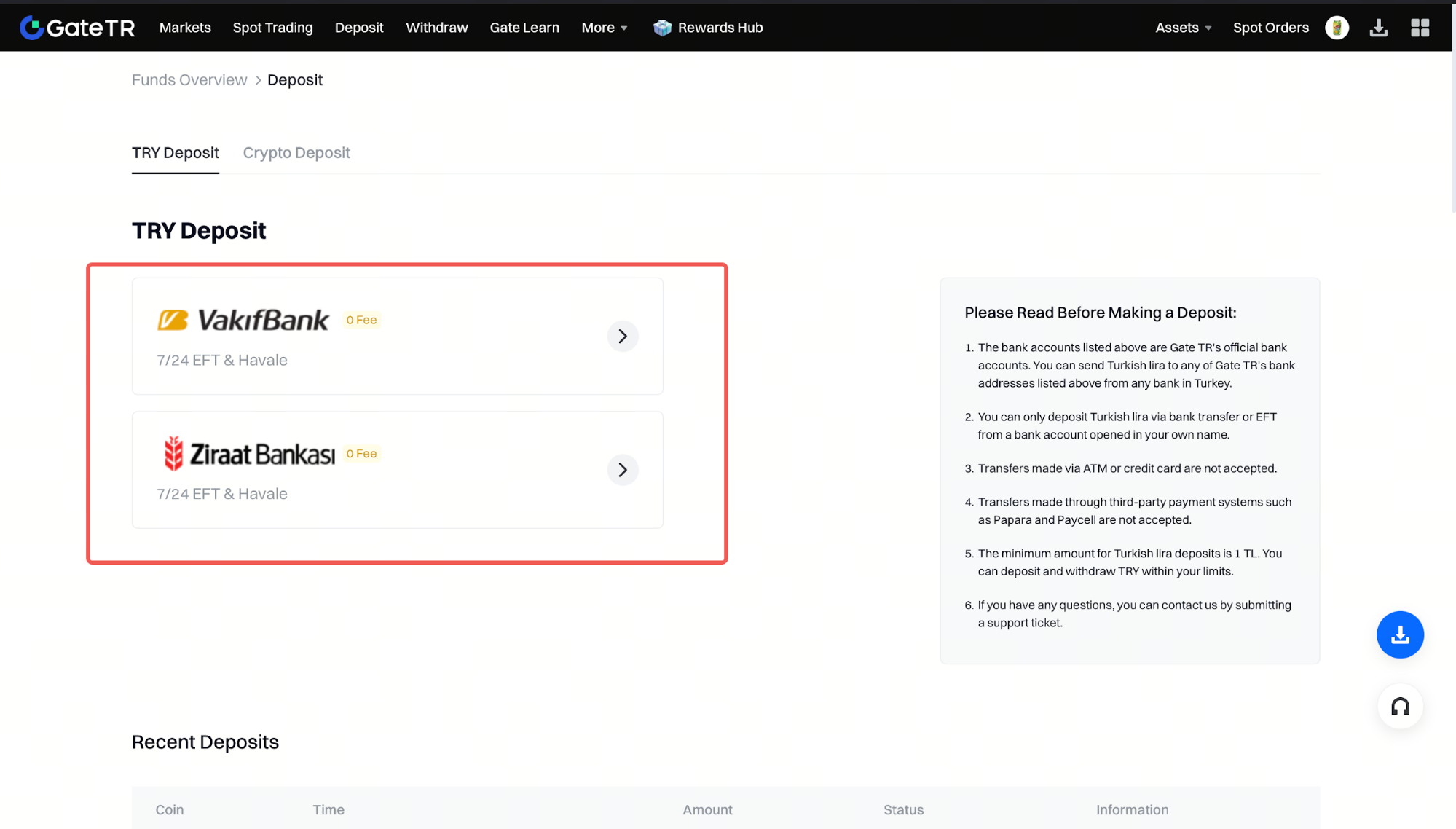
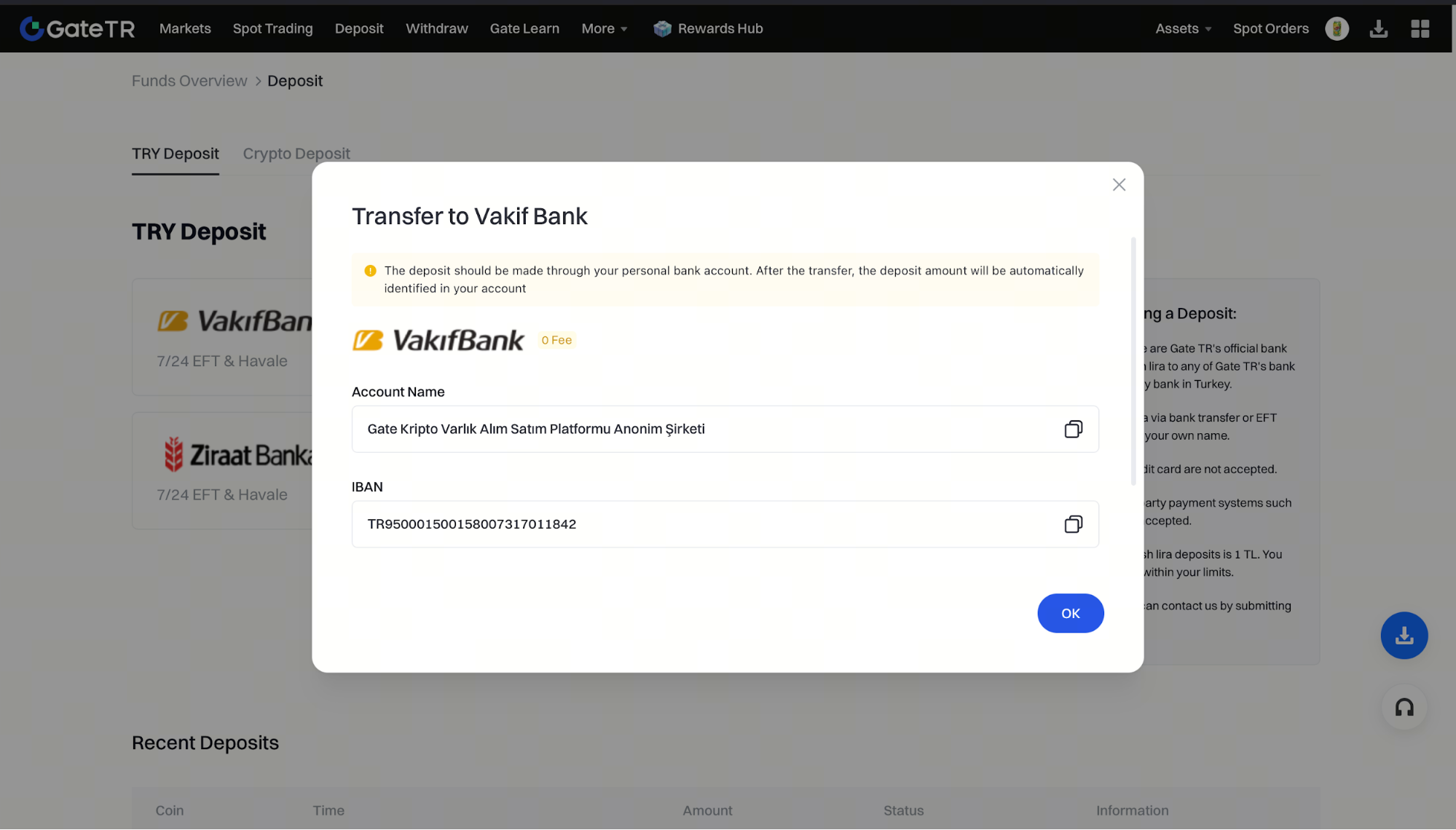
Step 3: Let’s choose Vakıfbank as an example. You will see the IBAN and account holder name for Gate TR’s Vakıfbank account. Copy this info, open your banking app, and transfer TRY just as you would for any standard bank transfer. Your funds will be credited to your Gate TR account shortly.
Important Notes
- You must transfer from a personal bank account registered in your own name via Havale or EFT.
- Transfers made via ATM or credit card are not accepted, as sender identity cannot be verified.
- Transfers via third-party services like Papara or Paycell are not accepted.
- The minimum deposit amount is 1 TRY.
For any issues, feel free to contact destek@gate.com.tr. You can also use the Gate TR app: go to your profile and tap the microphone icon in the top right to reach the Help Center and speak with a support agent.
You can also submit feedback through our Suggestions & Feedback page to win rewards!
