

Withdrawing TRY from your Gate TR account to your bank account is simple. You can follow the step-by-step instructions below or watch the guide:
Steps to Withdraw TRY to Your Bank Account
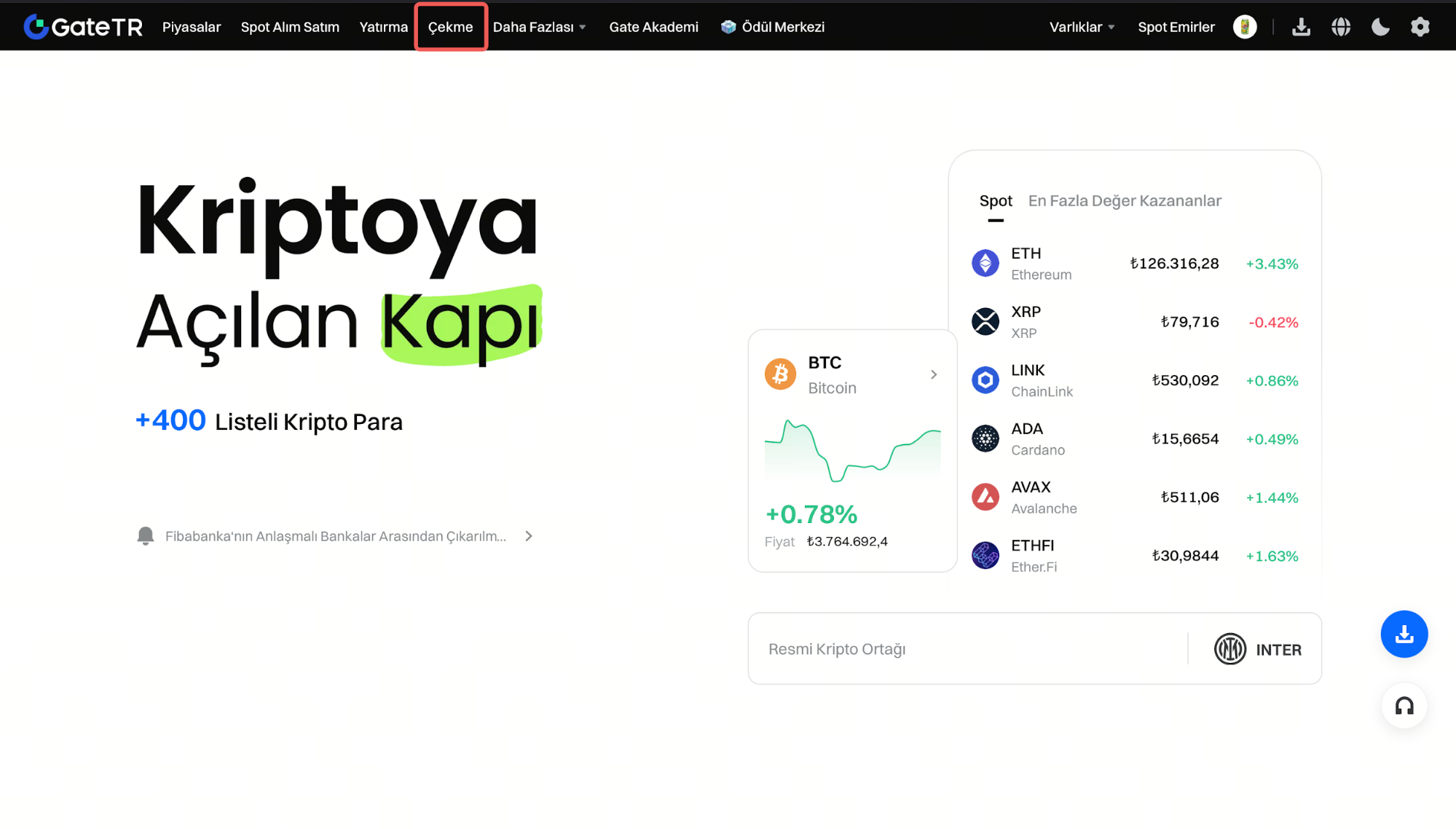
Step 1: Log in to your Gate TR account and click on the “Withdraw” page.
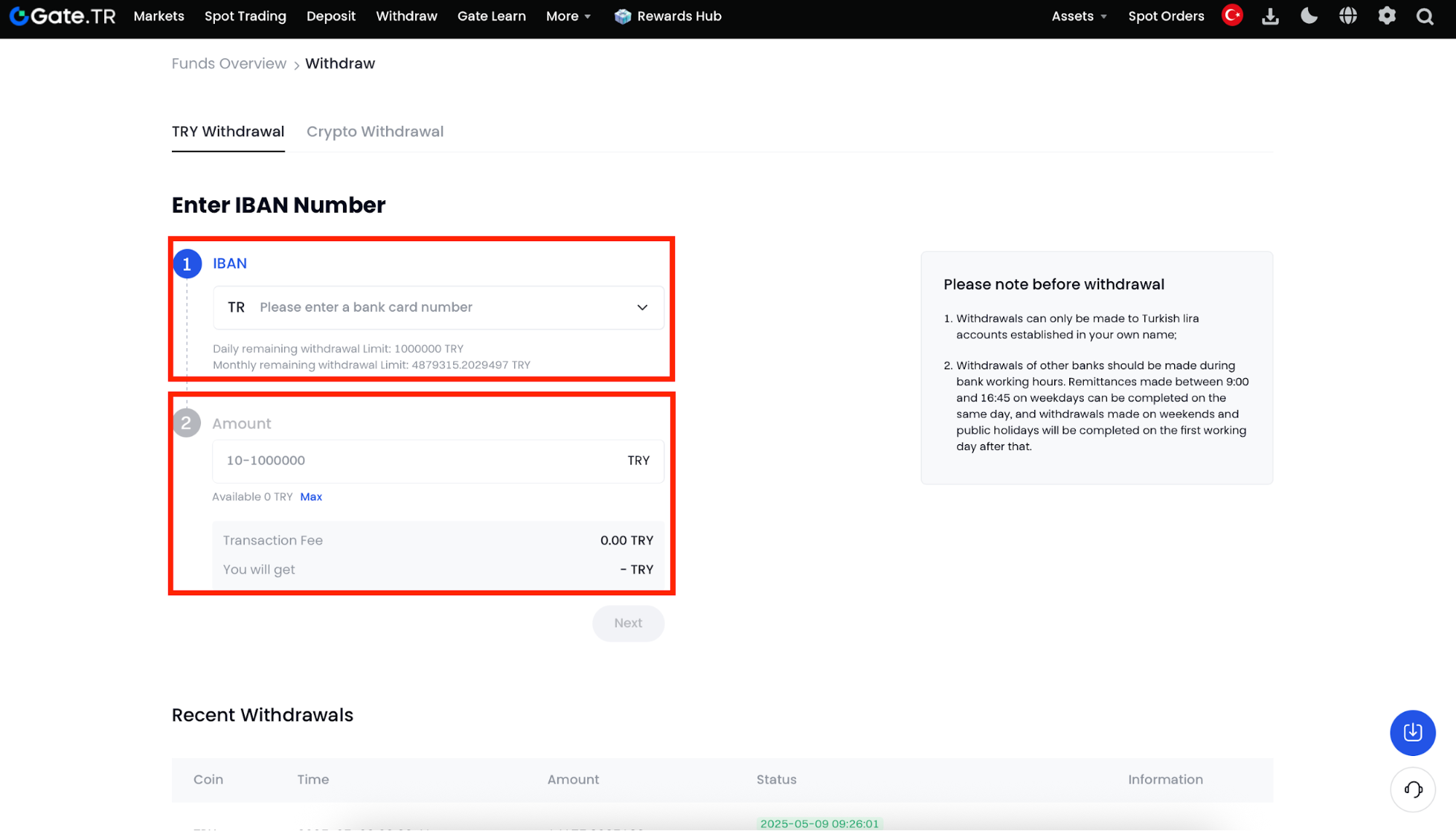
Step 2: Enter your IBAN details and the amount of TRY you want to withdraw.
Step 3: Verify your information and confirm the transaction. Your funds will be transferred to your bank account shortly.
Important Notes
- You can only withdraw to a personal bank account registered in your name.
- If the KYC details on Gate TR don’t match your bank account info, the funds will not be transferred. In such cases, contact customer support. 24/7 Withdrawals are available for the following banks: Ziraat Bankası, Vakıfbank.
- Withdrawals to other banks are processed on weekdays between 09:00 – 16:45. Withdrawals made on weekends or public holidays will be processed on the next business day.
For any issues, feel free to contact destek@gate.com.tr. You can also use the Gate TR app: go to your profile and tap the microphone icon in the top right to reach the Help Center and speak with a support agent.
You can also submit feedback through our Suggestions & Feedback page to win rewards!
