

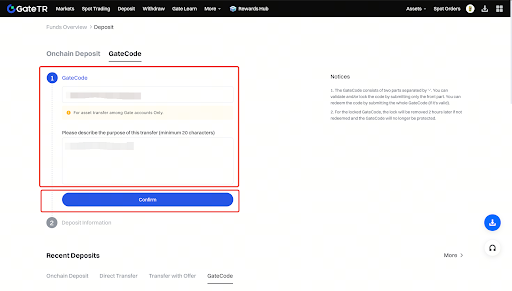
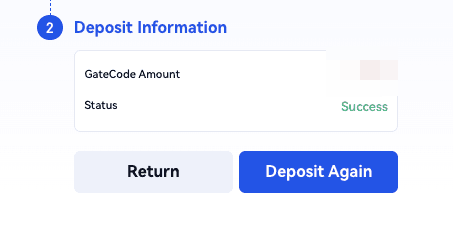
GateCode is a fast and free method for transferring assets between Gate TR users. Once created, the GateCode can be redeemed instantly on the “Use GateCode” page. Deposit with GateCode: https://gate.tr/myaccount/deposit_gatecode
Withdrawing with GateCode
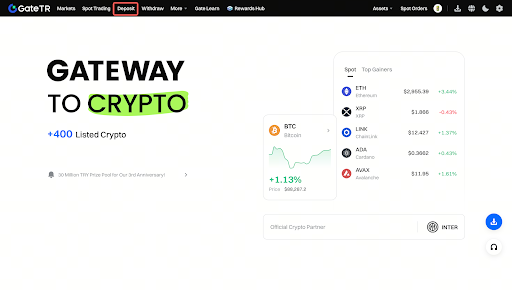
Step 1: Log in to your Gate TR account. From the homepage, click “Withdraw.”


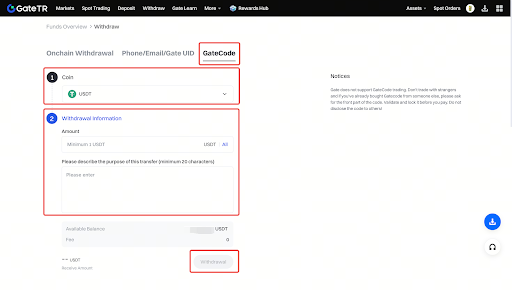

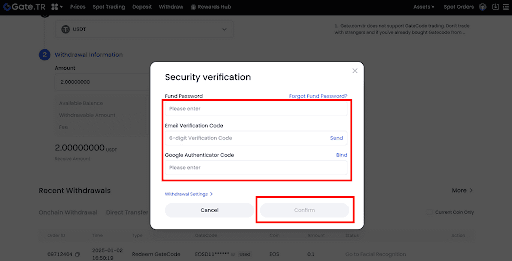
- Fund password
- SMS code
- Google Authenticator code
After checking, click “Confirm.”
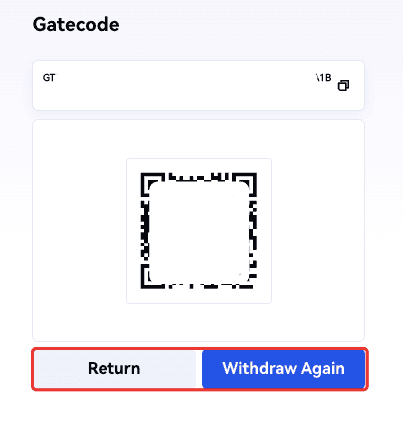
- Save the GateCode as a QR code, or
- Click the copy icon to copy the full GateCode.
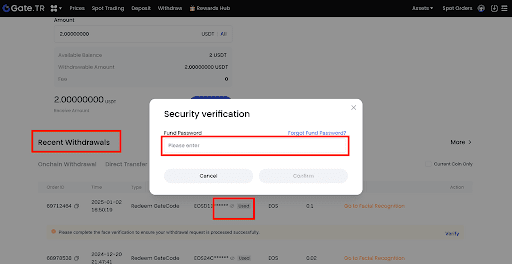
Depositing with GateCode
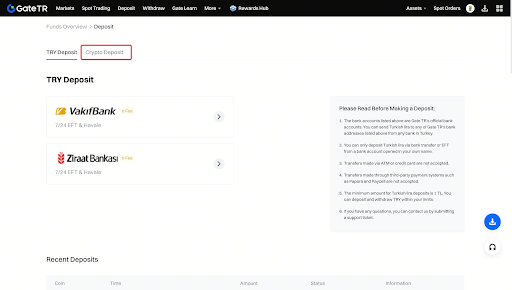
Step 1: Log in to your Gate TR account. Click the “Deposit > Crypto Deposit” option from the homepage.
Important Notes
- Verify the recipient before sharing your GateCode. Never share your code with strangers.
- Gate TR does not offer a trading platform for GateCodes. Be cautious when buying codes from others.
- A GateCode has two parts separated by a hyphen:
- The first part is used to check or lock the code.
- The full code is required for deposits.
- If receiving a code from another user, verify and lock it first.
- Only send payment after the GateCode is locked.
- If a GateCode is not used within 2 hours of being locked, it is automatically unlocked and loses its security guarantee.
For any issues, feel free to contact destek@gate.com.tr. You can also use the Gate TR app: go to your profile and tap the microphone icon in the top right to reach the Help Center and speak with a support agent.
You can also submit feedback through our Suggestions & Feedback page to win rewards!
