

Depositing Turkish Lira (TRY) from your bank account to Gate TR is quick and easy. You can follow the video guide or use the step-by-step instructions below:
How to Deposit TRY via Bank Transfer on the Website
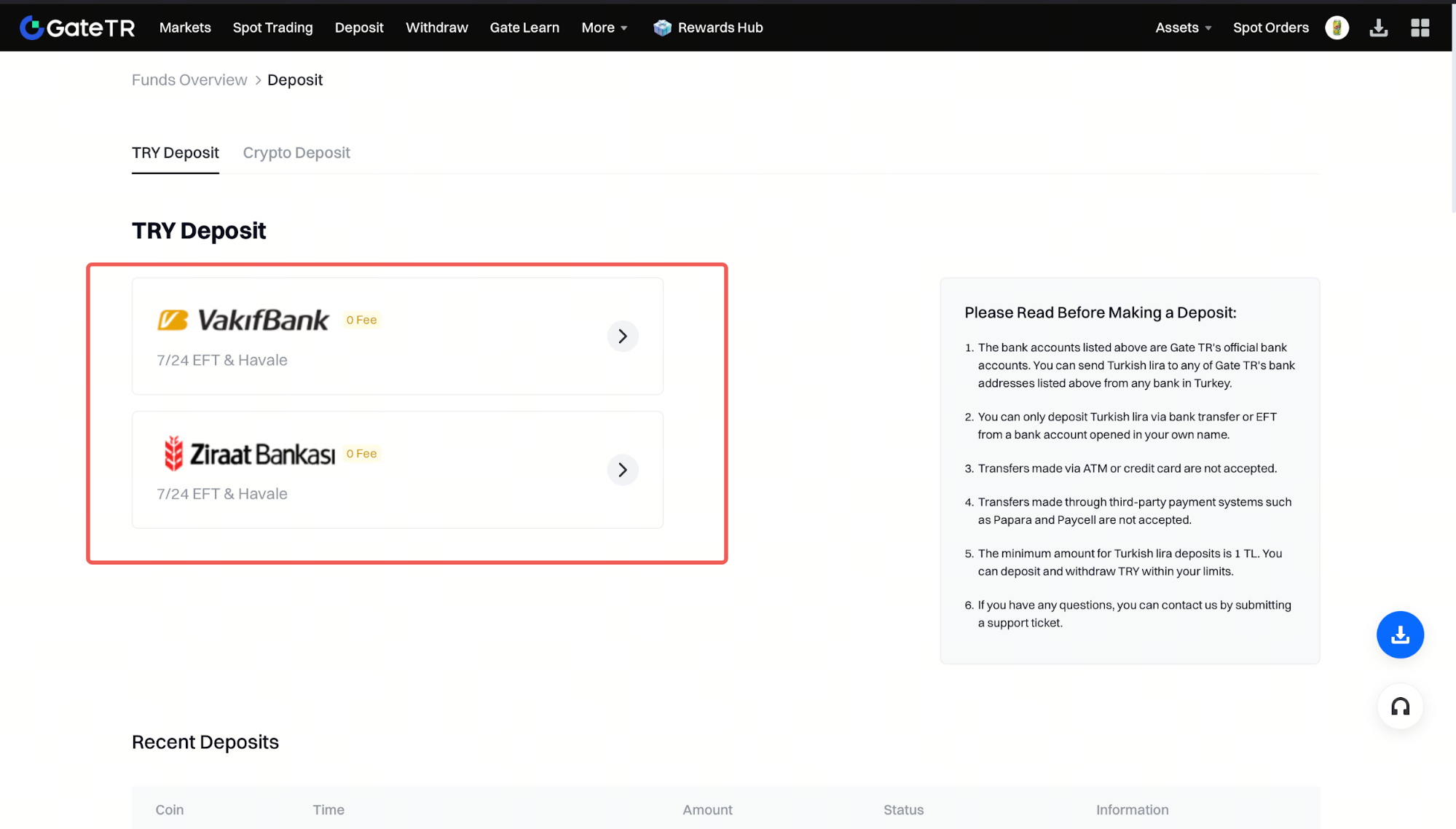
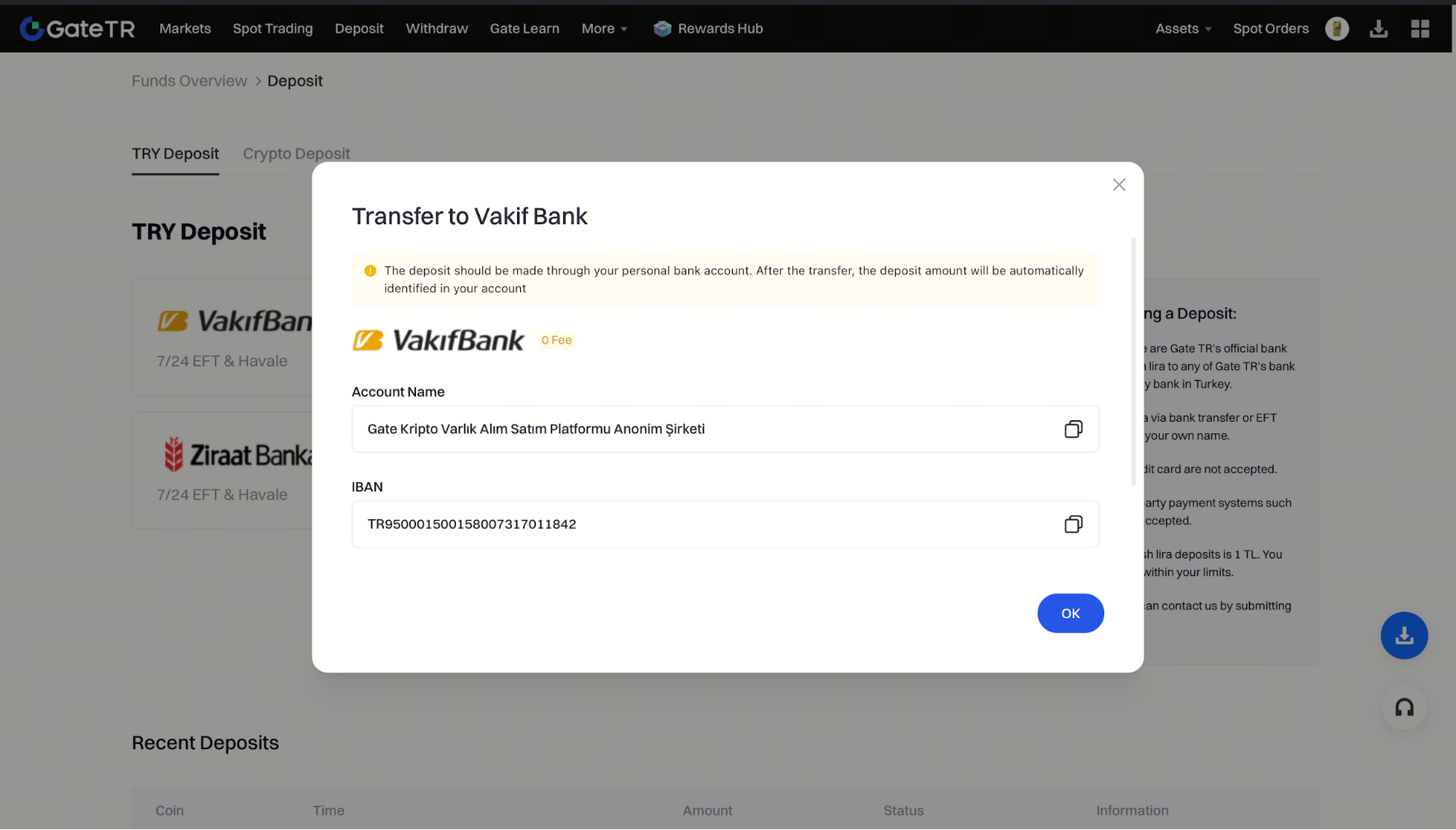
Step 1: Log in to your Gate TR account and click on the “Deposit” page.

Important Notes
- You must transfer from a personal bank account registered in your own name via Havale or EFT.
- Transfers made via ATM or credit card are not accepted, as sender identity cannot be verified.
- Transfers via third-party services like Papara or Paycell are not accepted.
- The minimum deposit amount is 1 TRY.
For any issues, feel free to contact destek@gate.com.tr. You can also use the Gate TR app: go to your profile and tap the microphone icon in the top right to reach the Help Center and speak with a support agent.
You can also submit feedback through our Suggestions & Feedback page to win rewards!
