

Deposit Fund on Gate TR:
Step 1: Log in to your Gate TR account. From the homepage, click the “Deposit” button.

Step 2 : Select the cryptocurrency you want to deposit from the “Coin” menu. Choose the appropriate network/chain. Then copy the deposit address provided by Gate TR or download the QR code.
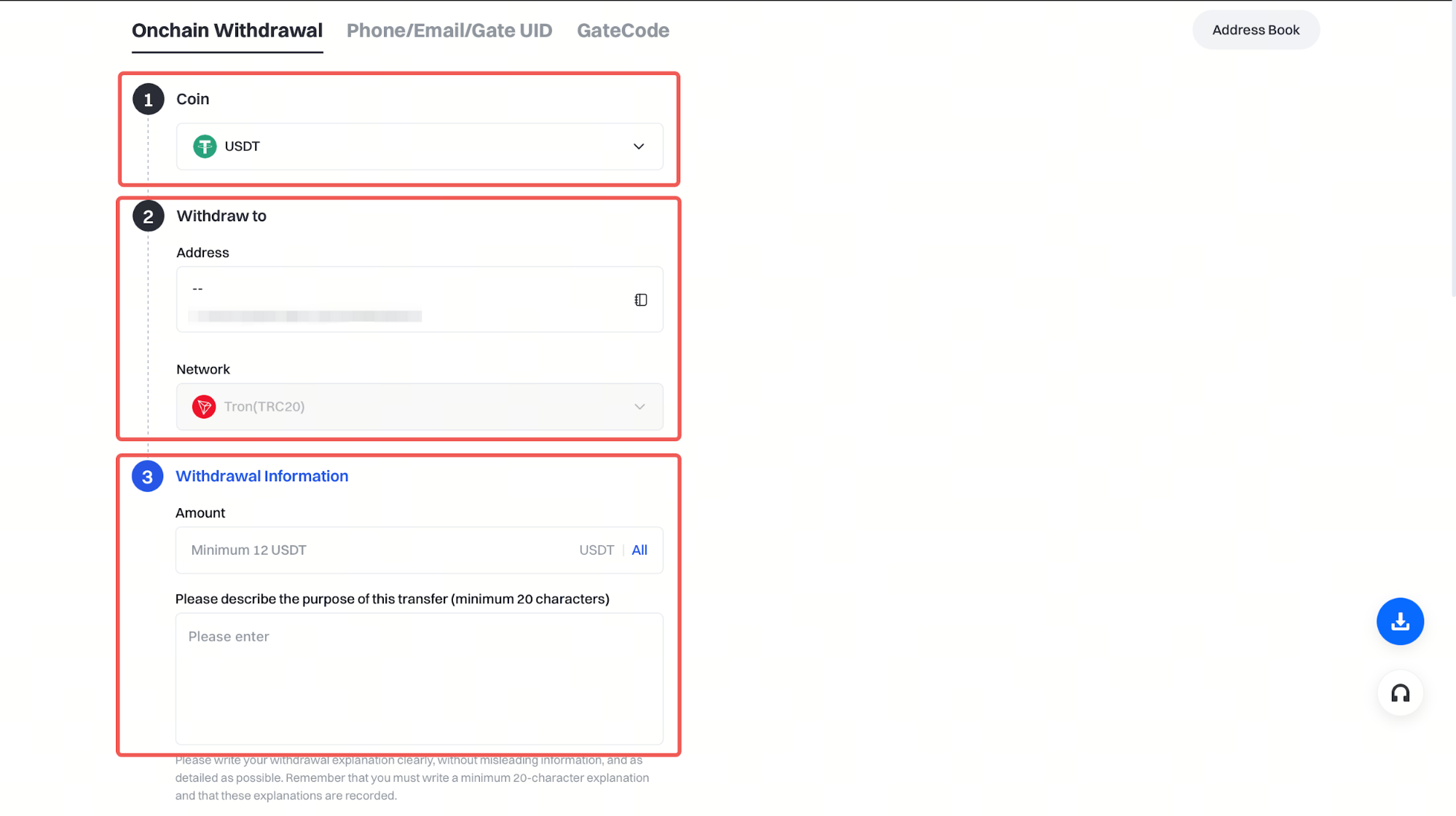
Finally, go to the platform you’re withdrawing from, paste the address, or scan the QR code to start the transfer.
Withdraw Fund from Gate TR:
Step 1 : Log in to your Gate TR account. On the homepage, click the “Withdraw” button.

Step 2:
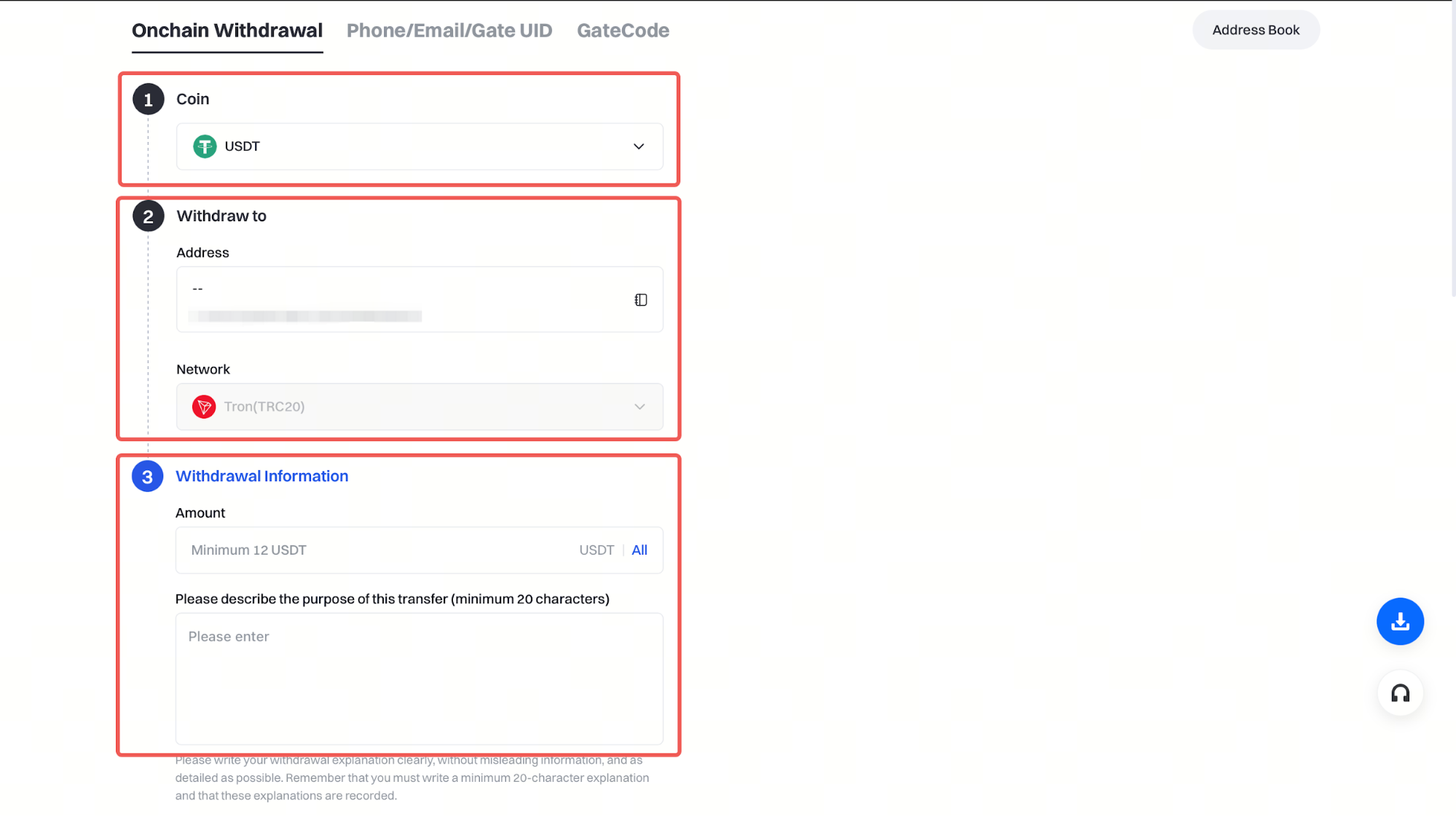
- Choose the cryptocurrency you wish to withdraw from the ‘Coin’ menu.
- Choose the address you wish to use from the address book for the relevant asset.
- Enter the withdrawal amount.
- Then click “Withdraw.”
Note:
- In accordance with SPK regulations, you must first register the wallet you wish to withdraw funds from in the address book. Click here for the address book registration guide.
- Make sure the selected withdrawal chain matches the deposit chain of the receiving platform. Otherwise, your funds could be lost and may not be recoverable.

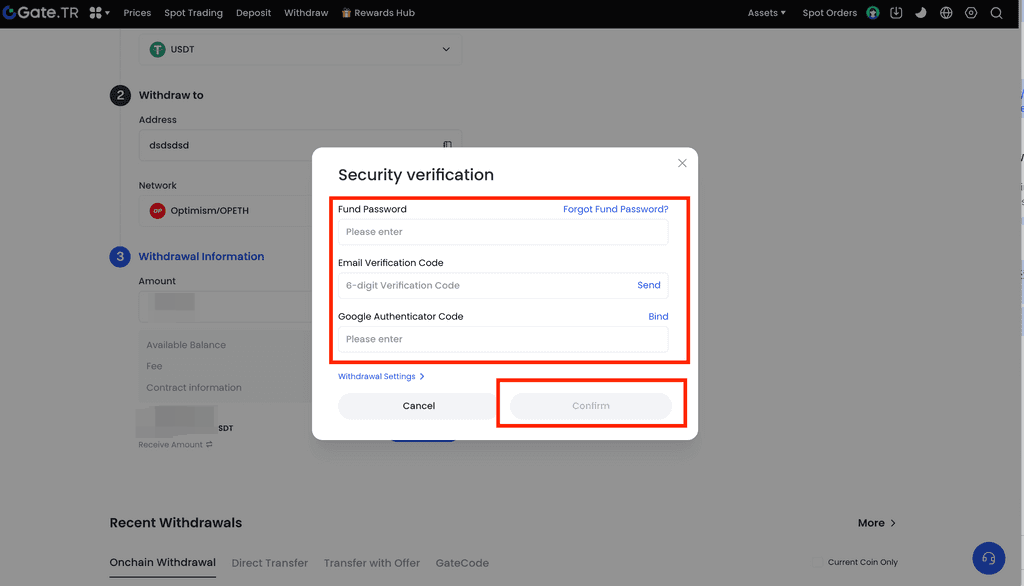
Step 3: To confirm the withdrawal: Enter your fund password, Enter the Google Authenticator code.
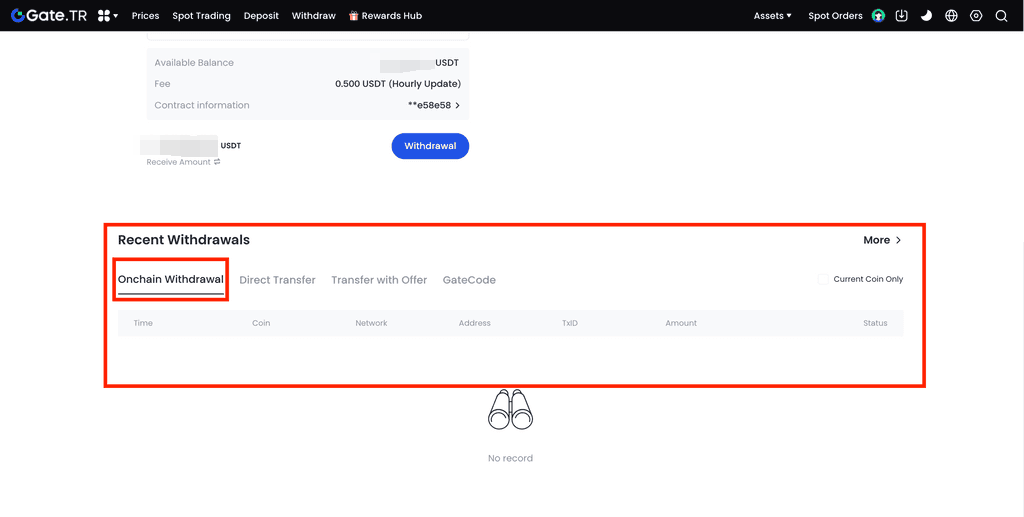
Once the process is complete, you can view your withdrawal history at the bottom of the page.
For any issues, feel free to contact destek@gate.com.tr. You can also use the Gate TR app: go to your profile and tap the microphone icon in the top right to reach the Help Center and speak with a support agent.
You can also submit feedback through our Suggestions & Feedback page to win rewards!
