

Viewing Wallet Assets on the Website
Step 1: Log in to your Gate TR account.
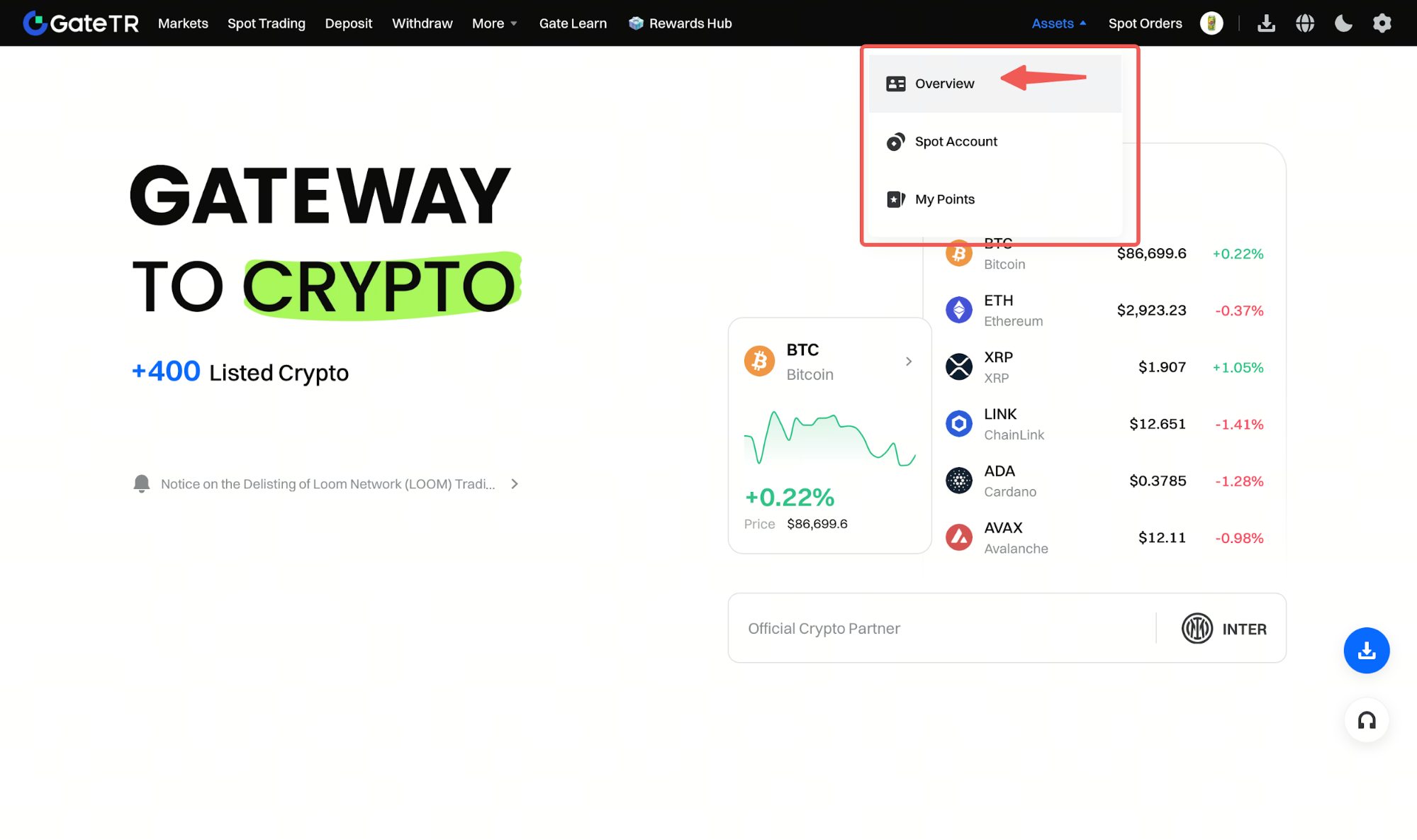
Step 2: From the top menu, go to Assets > Overview. From here, you can view all your wallet assets, deposit or withdraw your crypto assets, or send them to other Gate TR users with zero transaction fees.
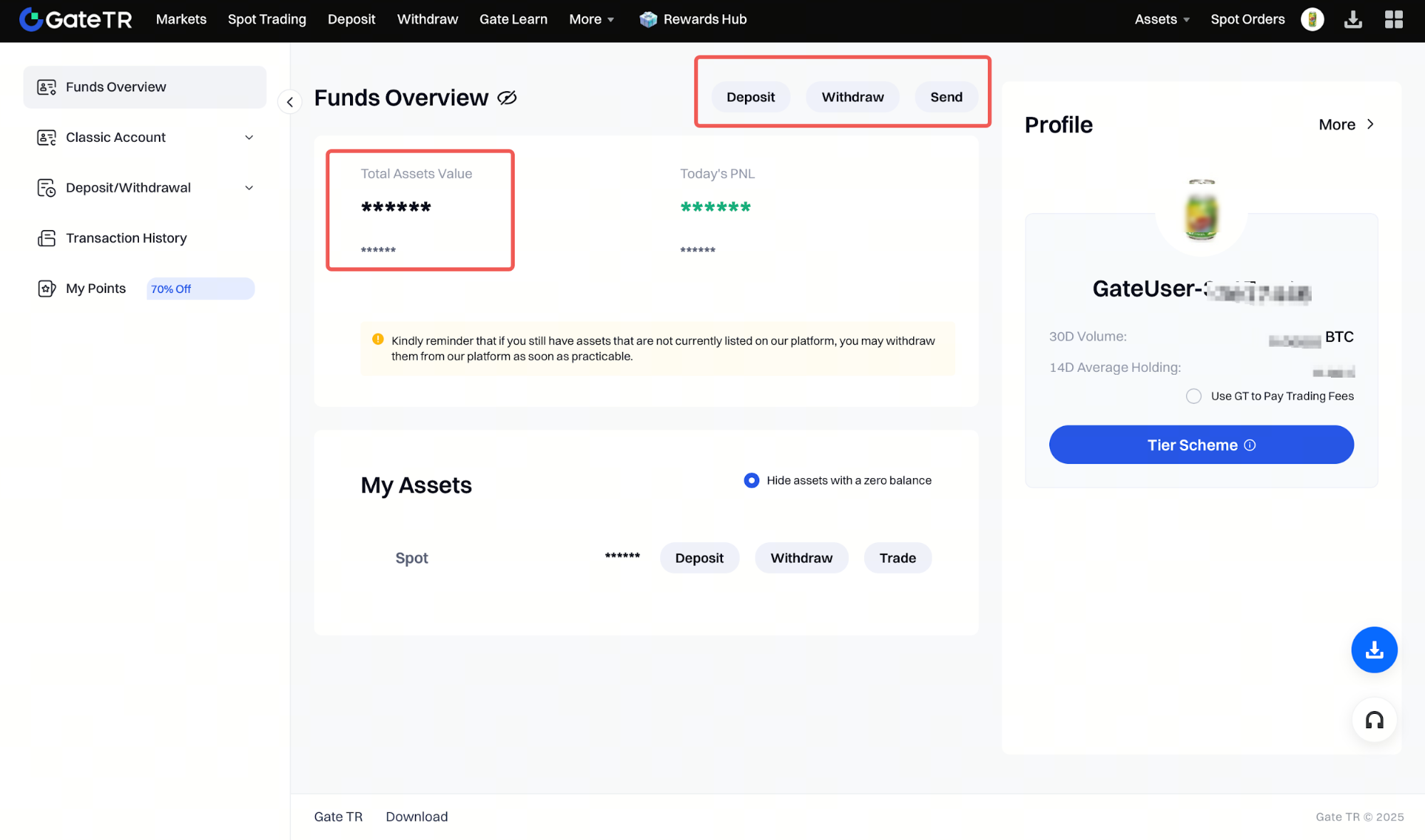
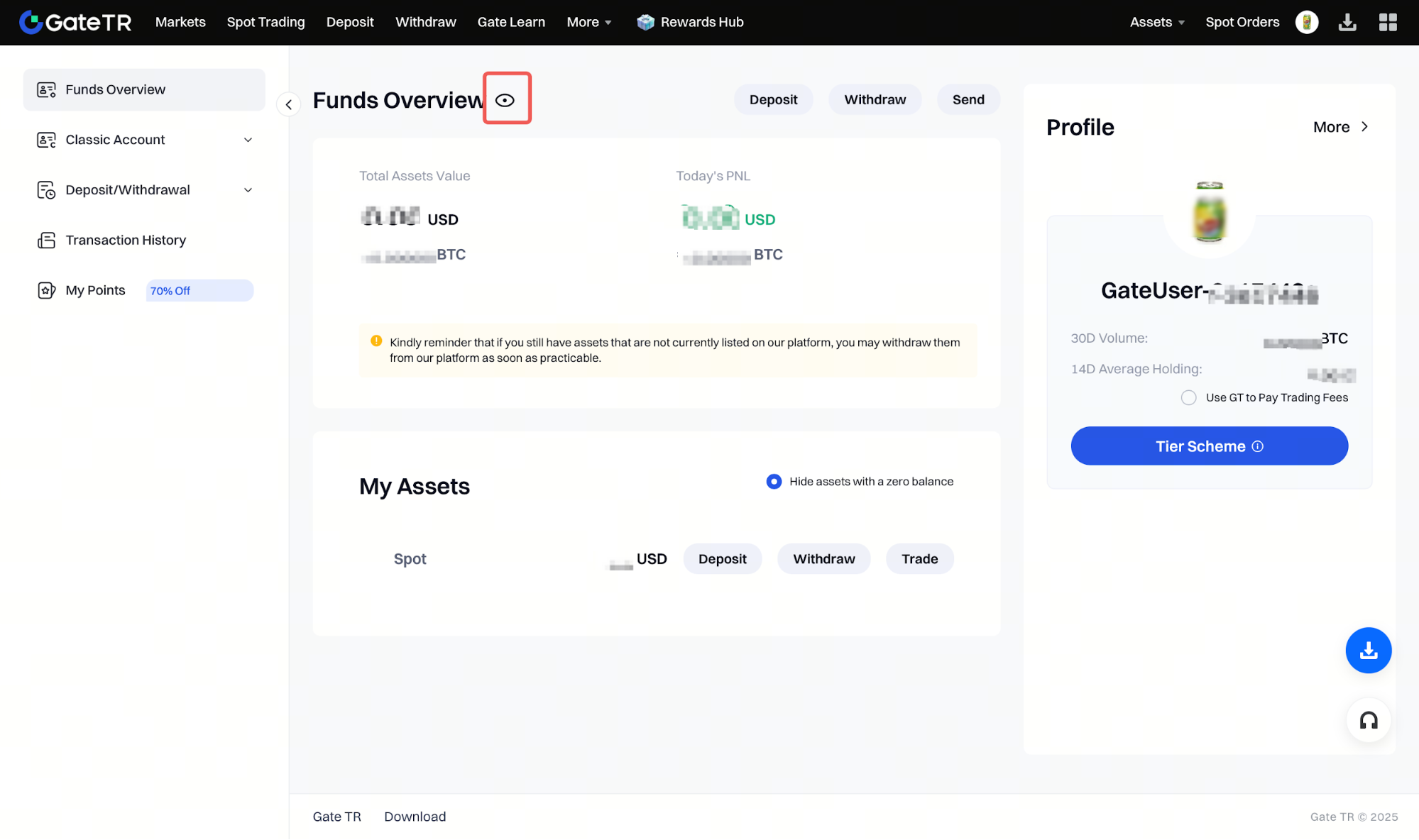
Hide/Show Wallet Balance
Click on the [Eye Icon] at the top right of the page to hide or show your wallet balance.
Viewing Wallet Assets on the Mobile App
Step 1: Log in to the Gate TR mobile app. Your total assets will be shown on the main screen.
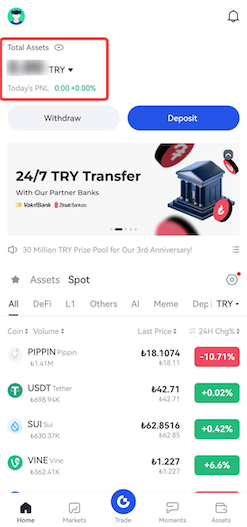
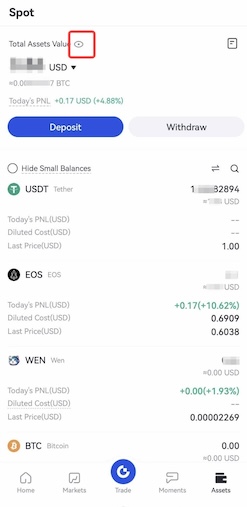
Alternatively, tap the Assets option at the bottom right to access detailed view.
Hide/Show Wallet Balance
Tap the Eye Icon at the top right to hide or show your wallet balance.
For any issues, feel free to contact destek@gate.com.tr. You can also use the Gate TR app: go to your profile and tap the microphone icon in the top right to reach the Help Center and speak with a support agent.
You can also submit feedback through our Suggestions & Feedback page to win rewards!
