

To improve the user experience, Gate TR has introduced a token recovery feature. If you deposited an unsupported token, you can use this feature to retrieve your funds.
Token Recovery Application Steps
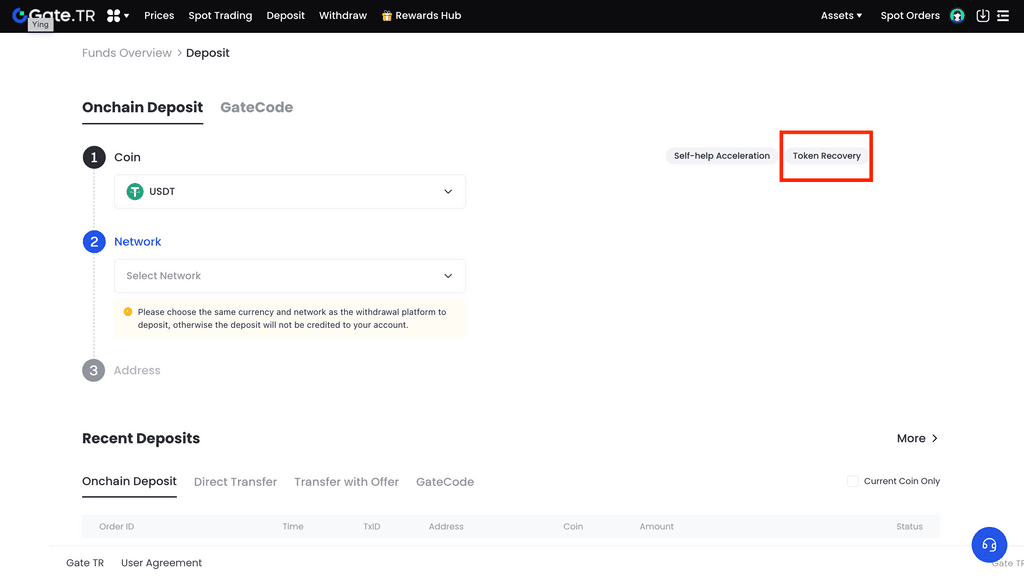
Step 1: Go to the Deposit Page
If you’ve deposited an unsupported token, click on the “Token Recovery” link.
Note: A 20 USDT fee applies for token recovery. Please ensure your spot account has sufficient balance.
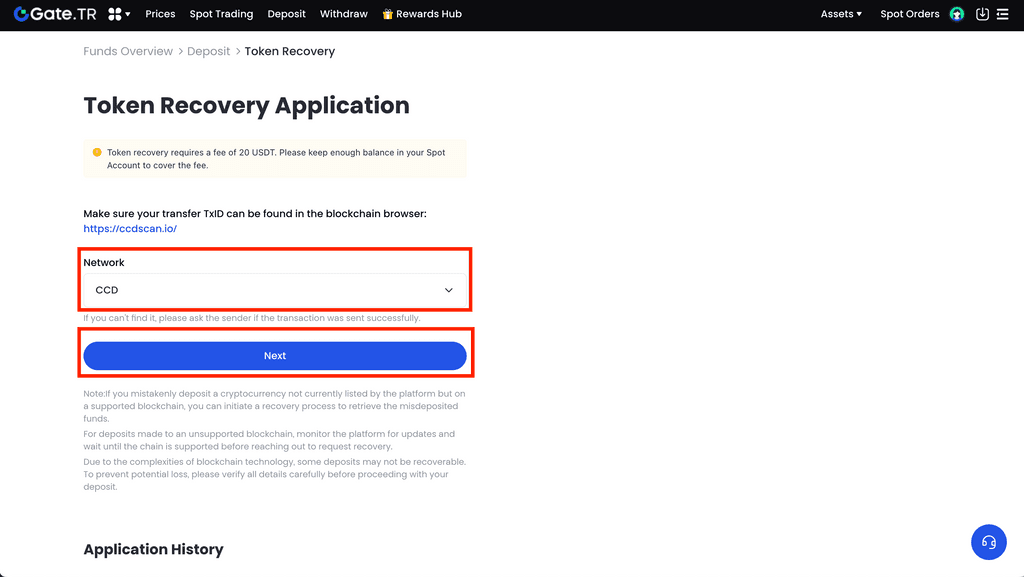
Step 2: Select Network/Chain
Choose the network or chain on which you made the incorrect transfer, then click “Next”.
Note: Make sure the TxID you entered is verifiable via the blockchain explorer.
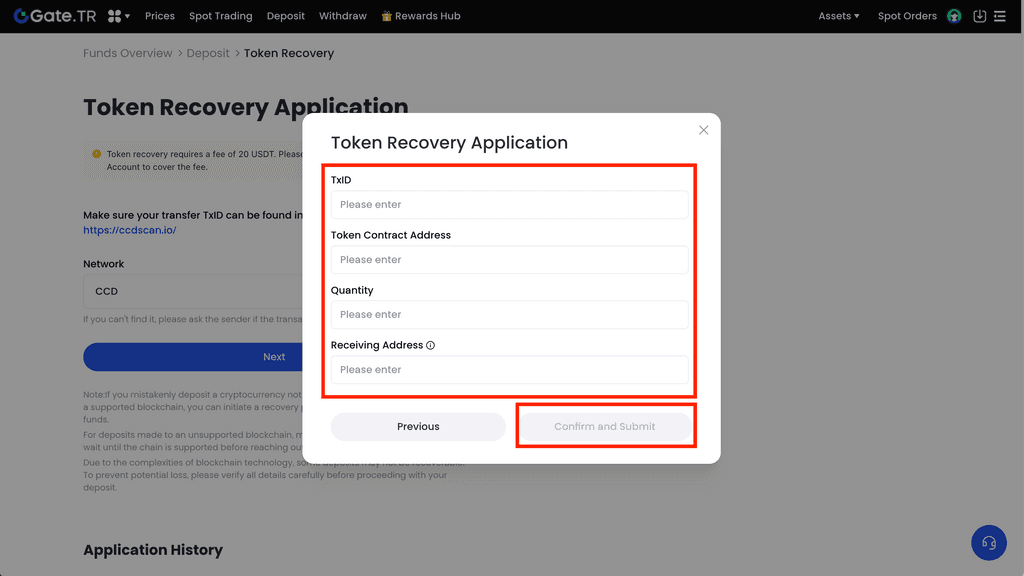
Step 3: Enter Your Information
Fill out the following details completely:
- TxID (Transaction ID)
- Token contract address
- Deposited amount
- Receiving address (Gate TR wallet address)
- Then click “Confirm and Submit”.
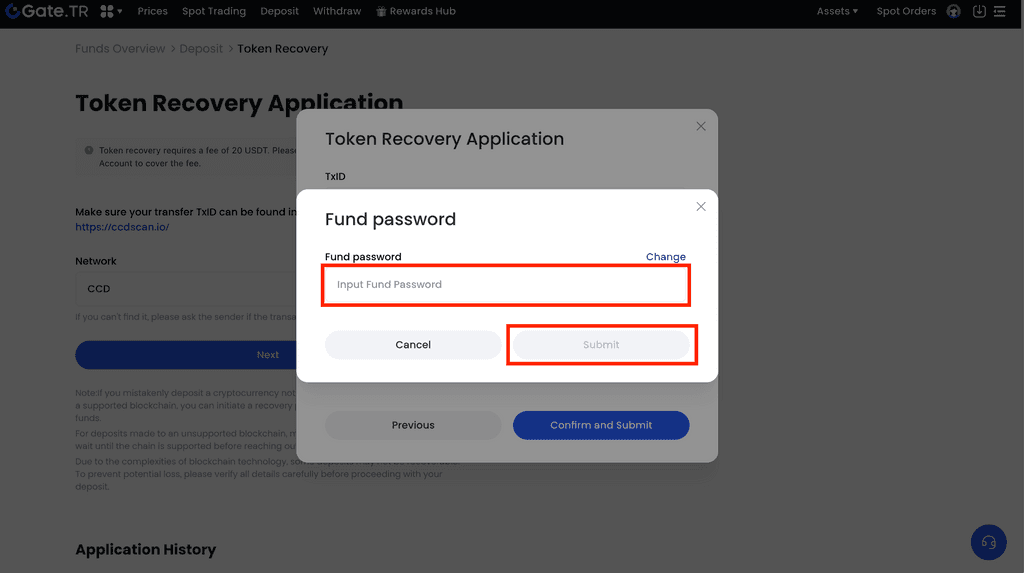
Step 4: Enter Fund Password and Complete Submission
Enter your fund password and click “Submit” to complete the application.
Note: If the token recovery fails, the transaction fee will be refunded to your account within 7 business days.
How to View Blockchain Info?
- Detailed instructions for viewing blockchain data can be found under the “Common Questions with Deposit” section.
- If you are unable to access blockchain info due to a technical issue, please contact the support team of the platform where the transaction was made.
- Alternatively, you can contact Gate TR live support or open a ticket by providing the coin name, transaction hash (TxID), and blockchain name.
For any issues, feel free to contact destek@gate.com.tr. You can also use the Gate TR app: go to your profile and tap the microphone icon in the top right to reach the Help Center and speak with a support agent.
You can also submit feedback through our Suggestions & Feedback page to win rewards!
