

Gate TR uygulamasını mobil cihazınıza buradan indirerek her yerden kripto alım-satım işlemlerine başlayabilirsiniz. Uygulama iOS ve Android işletim sistemleri için desteklenmektedir.
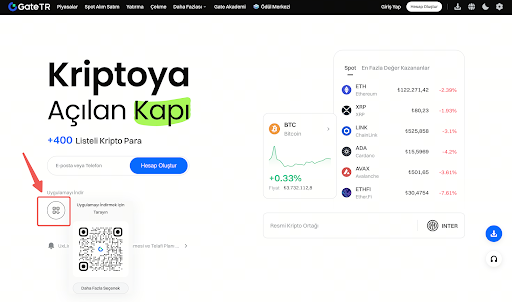
iOS Uygulama İndirme Rehberi
Adım 1: App Store’u açın. Arama bölümüne “Gate TR” yazın ve uygulamayı bulun.

Adım 2: “İndir” seçeneğine dokunun. İndirme işlemi tamamlandığında, otomatik olarak kurulum başlayacaktır.
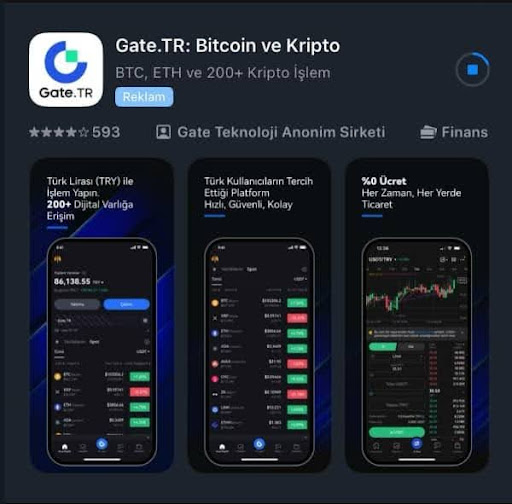
Adım 3: Ana ekranınızda uygulama simgesini bulun. Kurulum tamamlandıktan sonra Gate TR uygulamasına giriş yapabilirsiniz.

Adım 4: Uygulamayı güncellemek için: App Store üzerinden “Gate TR” araması yapın ve sağdaki “Güncelle” seçeneğine dokunun.
Adım 5: Alternatif olarak uygulama içinden Kullanıcı Merkezi > Hakkımızda > Güncelle bölümünü de kullanabilirsiniz.

Notlar:
- Uygulama güncellenmiyorsa, mevcut sürümü silip yeniden yüklemeyi deneyin.
- Kişisel güvenliğiniz için yalnızca kendi Apple hesabınızı kullanın.
Android Uygulama İndirme Rehberi
Adım 1: Google Play Store’u açın. Arama bölümüne “Gate TR” yazın ve uygulamayı bulun.
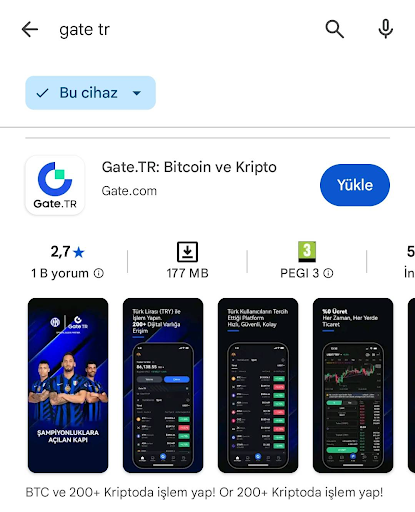
Adım 2: “İndir” seçeneğine dokunun. İndirme işlemi tamamlandığında, otomatik olarak kurulum başlayacaktır.
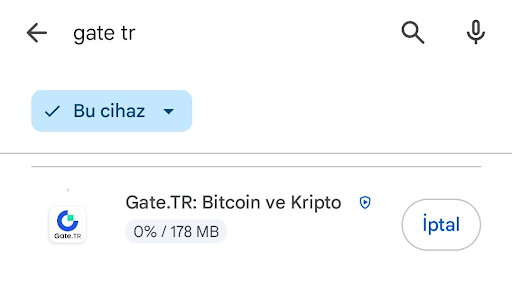
Adım 3: Ana ekranınızda uygulama simgesini bulun. Kurulum tamamlandıktan sonra Gate TR uygulamasına giriş yapabilirsiniz.

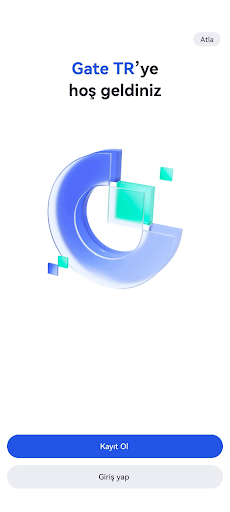
Adım 4: Uygulamayı açın, hesabınız varsa giriş yapın yoksa Kayıt Ol butonuna tıklayın.
Google Play Store'da sorun yaşamanız halinde aşağıdaki adımları izleyebilirsiniz;
Adım 1: İndirme bağlantısını kopyalayın: https://www.gate.tr/mobileapp ve tarayıcınıza yapıştırın. Web sayfasına girdikten sonra, “Android APK Uygulama İndir”e tıklayın ve indirme tamamlanana kadar bekleyin.
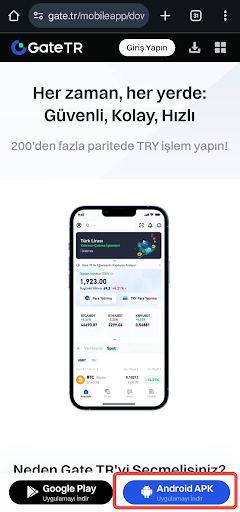
Adım 2: İndirme tamamlandığında bu sayfaya girin. Yüklemeyi başlatmak için “YÜKLE”‘ye tıklayın.

Adım 3: Kurulum tamamlandıktan sonra, ‘TAMAM’ veya ‘AÇ’ butonuna tıklayın.
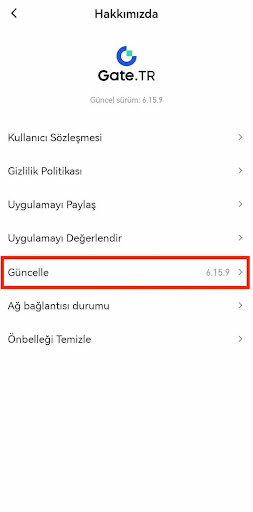
Adım 4: Güncelleme yapmak için kullanıcı merkezine gidip “Hakkımızda” - “Güncelleme” üzerine tıklayabilirsiniz.
Notlar:
Yükleme sırasında sorun yaşarsanız şu adımları izleyin:
- Ayarlar > Güvenlik > Bilinmeyen Kaynaklar seçeneğini etkinleştirin.
- Sistem ve Güncellemeler > Uygulama Koruma > Gelişmiş Koruma ayarını devre dışı bırakın.
- Sorun devam ederse, cihazınızı Uçak Modu’na alın, tüm ağ bağlantılarını kapatın ve yüklemeyi yeniden deneyin.
Lütfen yaşayabileceğiniz her türlü sorunla ilgili destek almak için destek@gate.com.tr adresine mail atabileceğinizi unutmayın. Ayrıca uygulama üzerinden profile tıklayarak sağ üstteki mikrofon emojisine tıklayabilir Yardım Merkezinden müşteri destek uzmanına bağlanabilirsiniz.
Ayrıca Öneriler & Geri Bildirim sayfamızdan bildirim göndererek ödül kazanabilirsiniz.
