

Gate TR hesabınız üzerinden geçmiş alım-satım işlemlerinizi detaylı bir şekilde inceleyebilirsiniz. Bunun için öncelikle Gate TR web sitesine giriş yapmanız ve hesabınıza oturum açmanız gerekir.
İlk olarak web sitemiz üzerinden işlem geçmişinizi nasıl görüntüleyeceğinizi birlikte inceleyelim:
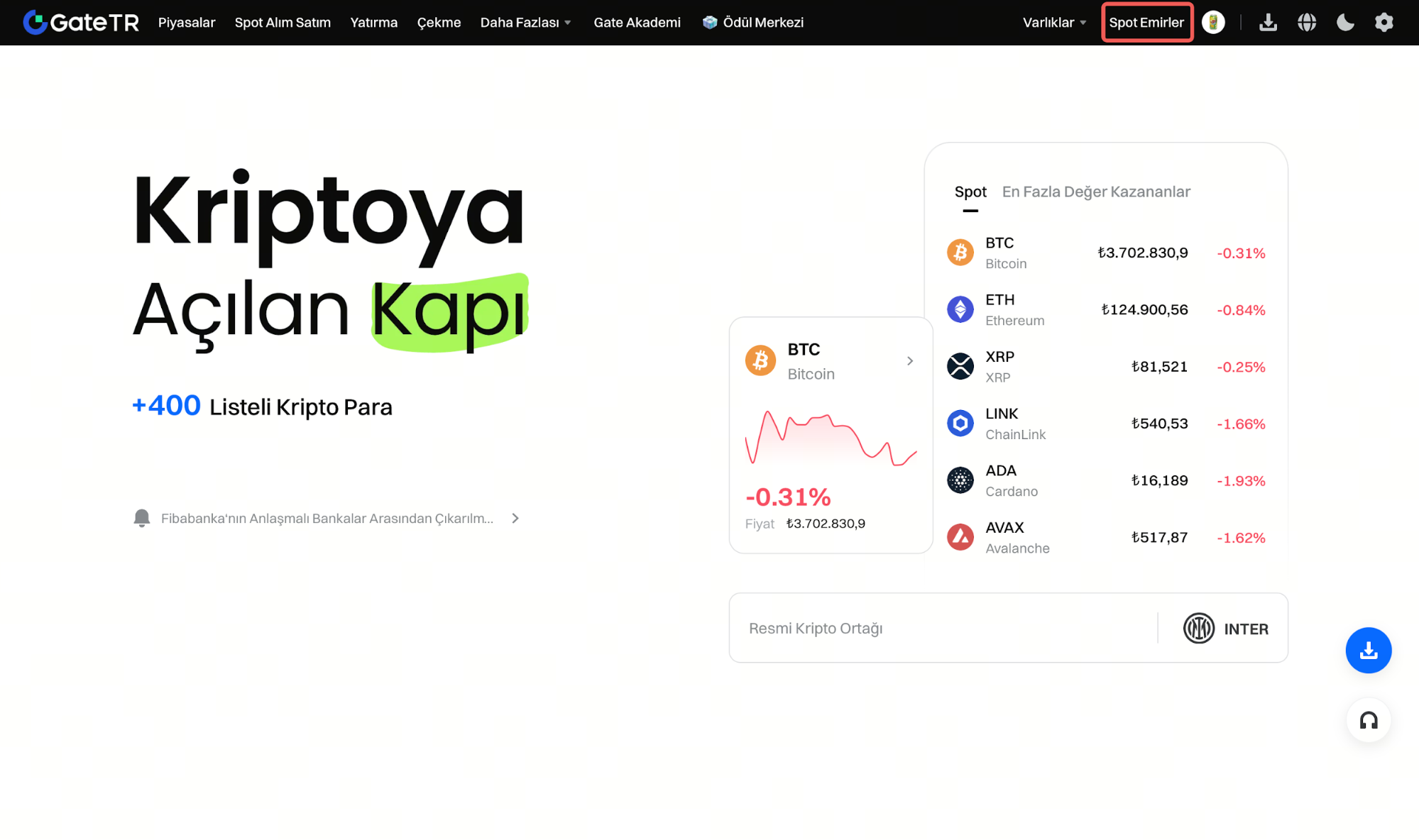
1. Adım: Web sitemizde sağ üstte yer alan profil ikonununa tıklayın ve Açılan menüden “Spot Emirler” seçeneğine geçin.
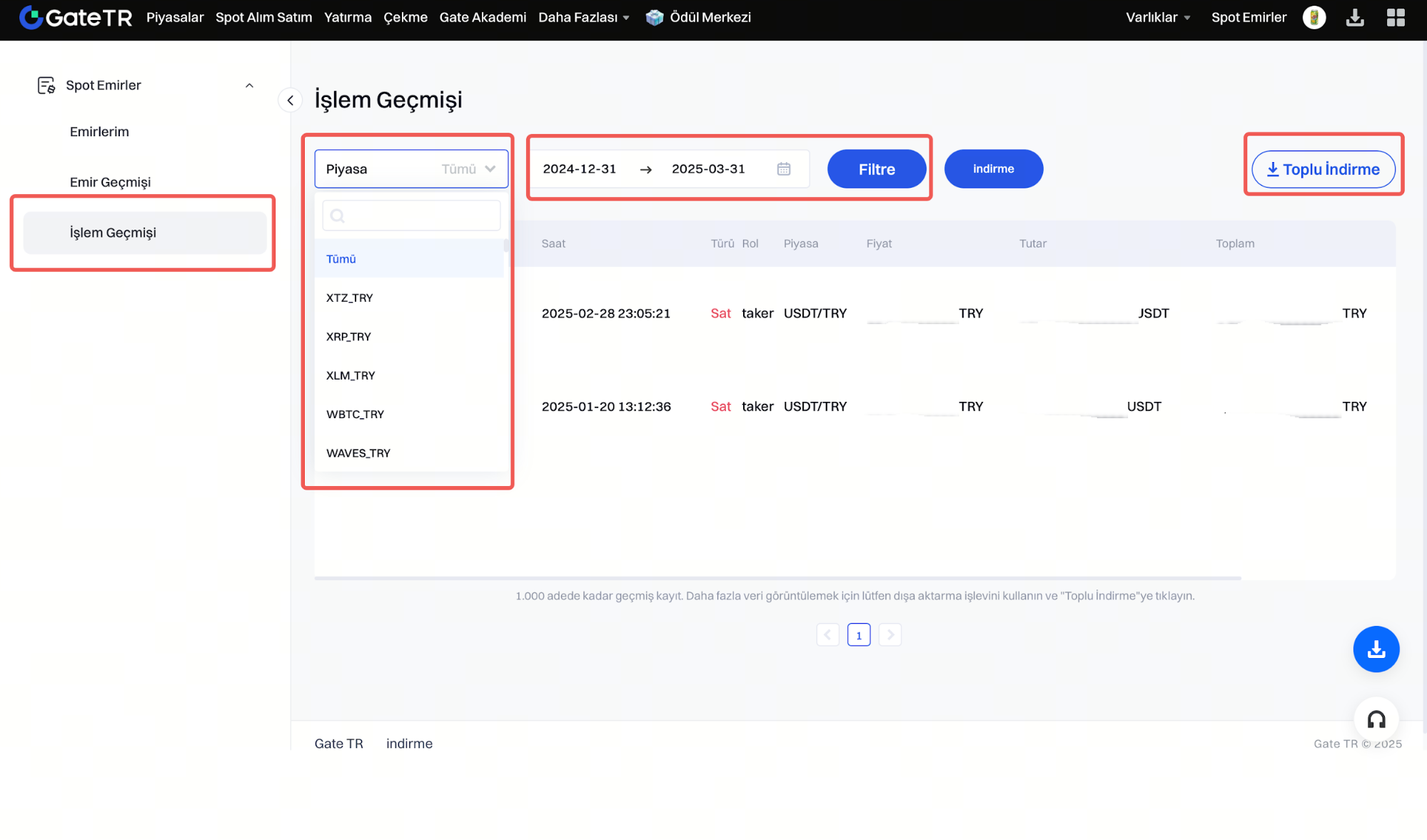
2. Adım: Karşınıza gelen sayfada, üst menüde bulunan “İşlem Geçmişi” sekmesine tıklayın. İlgili sayfada, görmek istediğiniz piyasa ve tarih aralığını seçerek yalnızca o döneme ait işlemleri filtreleyebilirsiniz.
İşlem geçmişinizi dışa aktarmak isterseniz, sayfanın sağ üst köşesinde yer alan “Toplu İndirme” butonuna tıklayarak işlemlerinizi indirebilirsiniz.
Not: Her kullanıcı, günlük maksimum 30 kez işlem geçmişi indirebilir.
Bu adımları izleyerek Gate TR hesabınızda gerçekleştirdiğiniz tüm işlemleri detaylı şekilde görüntüleyebilir ve arşivleyebilirsiniz.
Gate TR mobil uygulamasında alım-satım geçmişini nasıl kontrol edebilirim:
Gate TR mobil uygulaması üzerinden gerçekleştirdiğiniz alım-satım işlemlerini kolayca takip edebilirsiniz. Aşağıdaki adımları izleyerek işlem geçmişinizi detaylı bir şekilde görüntüleyebilirsiniz:
1. Adım: Gate TR mobil uygulamasını açın ve hesabınıza giriş yapın. Seçilen işlem çiftinin alım-satım geçmişini kontrol etmek için alt menüde yer alan “İşlemler” sekmesine dokunun, ardından üst kısımdaki “İşlemlerim” bölümüne geçin.
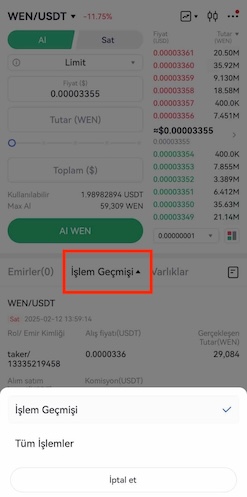
2.Adım: Ekranın alt menüde yer alan “muhasebe saati” simgesine dokunun. Buradan açık emirler, emir geçmişi ve alım-satım geçmişi gibi detaylara erişebilirsiniz.

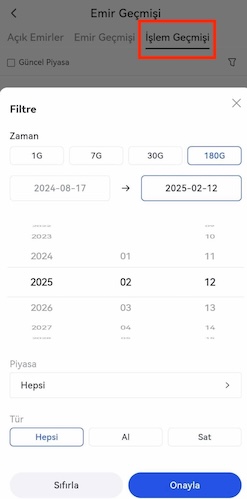
3.Adım: Geçmiş verilerinizi daha spesifik şekilde görmek için, ekranın sağ üst köşesindeki küçük huni (filtre) simgesine dokunun.
Filtre ekranından, işlem geçmişinizi şu kriterlere göre özelleştirebilirsiniz:
- Tarih aralığı: Emir başlangıç ve bitiş saatine göre
- Market: İşlem yaptığınız işlem çifti (örneğin BTC/TRY)
- Yön: Alış ya da satış işlemi
Filtreleme sonrası, “İşlem Geçmişi” sekmesi üzerinden belirli işlemlerin detaylarını inceleyebilirsiniz.
Not: Mobil uygulamada işlem geçmişi en fazla 180 gün geriye dönük olarak görüntülenebilir.
Herhangi bir sorunla karşılaşırsanız, destek@gate.com.tr adresine e-posta göndermekten çekinmeyin. Ayrıca Gate TR uygulamasının sol üst köşesindeki profil bölümüne tıklayabilir, ardından açılan sayfanın sağ üst köşesindeki mikrofon emojisine dokunarak Yardım Merkezi aracılığıyla bir müşteri destek temsilcisiyle bağlantı kurabilirsiniz.
