

Start Time Explanation
Gate TR currently offers three options for the start time of price change percentages. Users can choose and switch between them based on their needs:
- Last 24 hours: The change % is to compare the last price of this moment to that of 24 hours ago.
- UTC+8 00:00: The change % is to compare the last price of this moment to that at 00:00 clock Beijing time.
- UTC 00:00: The change % is to compare the last price of this moment to that at 00:00 clock UTC.
Changing the Setting via Mobile App
Log in to the Gate TR mobile app. Tap your profile avatar at the top left of the home screen.
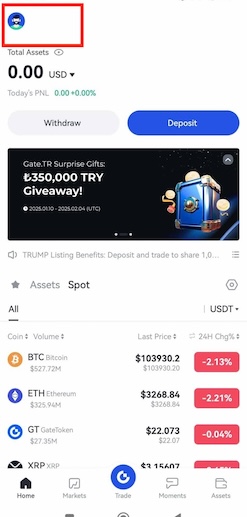
From the menu, go to “Preferences” > “Change Basis for Price Change”.

Changing the Setting via Web
Log in to your account on the Gate TR website. Click on the Settings icon in the top right corner. In the menu that opens, click on the ‘Select Start and End Time for Changes’ option to specify your preferred time.
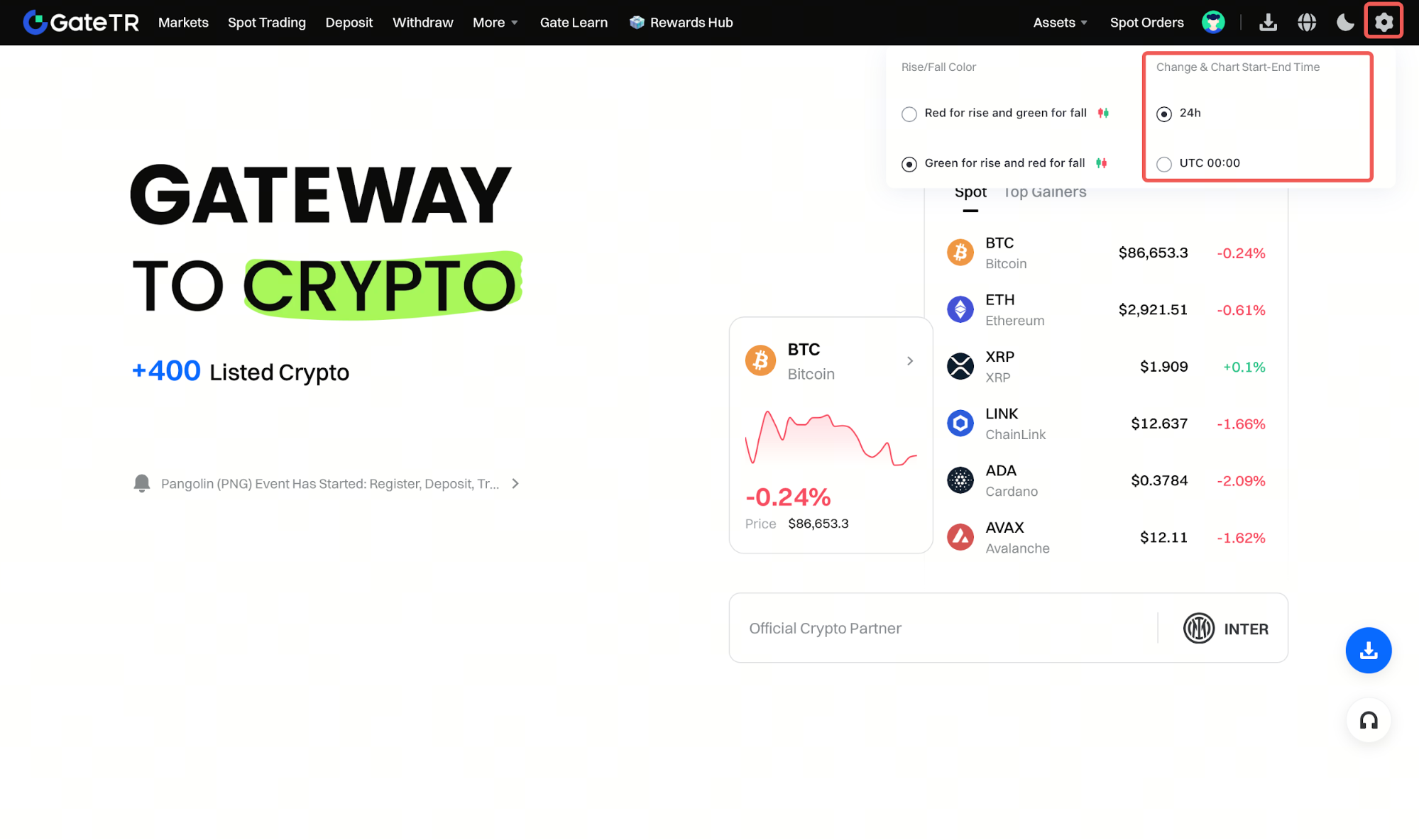
Note: Time Zones
- UTC 00:00 corresponds to 03:00 AM Turkish time.
- UTC+8 00:00 corresponds to 07:00 PM Turkish time.
Make sure to choose the time zone that best fits your needs to view price comparisons accurately.
For any issues, feel free to contact destek@gate.com.tr. You can also use the Gate TR app: go to your profile and tap the microphone icon in the top right to reach the Help Center and speak with a support agent.
You can also submit feedback through our Suggestions & Feedback page to win rewards!
