

Spot trading is the process of instantly exchanging one cryptocurrency for another—also known as crypto-to-crypto trading.
Orders are matched based on price priority and time priority. For instance, the BTC/USDT pair means you are buying or selling BTC using USDT.
Basic Order Types
Limit Order:
- The user sets a specific price for buying or selling.
- The order executes only when the market reaches that price.
- If the limit price is more favorable than the current market price, it may execute immediately at the best available rate.
Market Order:
- Executes instantly. The user enters the amount only, and the system matches it with the best available price.
Advanced Order Options
Iceberg Order:
- Only a portion of the actual order is visible in the order book; the rest is hidden.
- The hidden part is charged a flat fee of 0.2%. The visible part is charged the standard fee rate.
- If the order is filled in both visible and hidden portions, the full amount is charged at 0.2%.
IOC (Immediate or Cancel):
- The order is partially or fully filled immediately. Any unfilled portion is automatically canceled.
Gate TR Spot Trading Interface Components
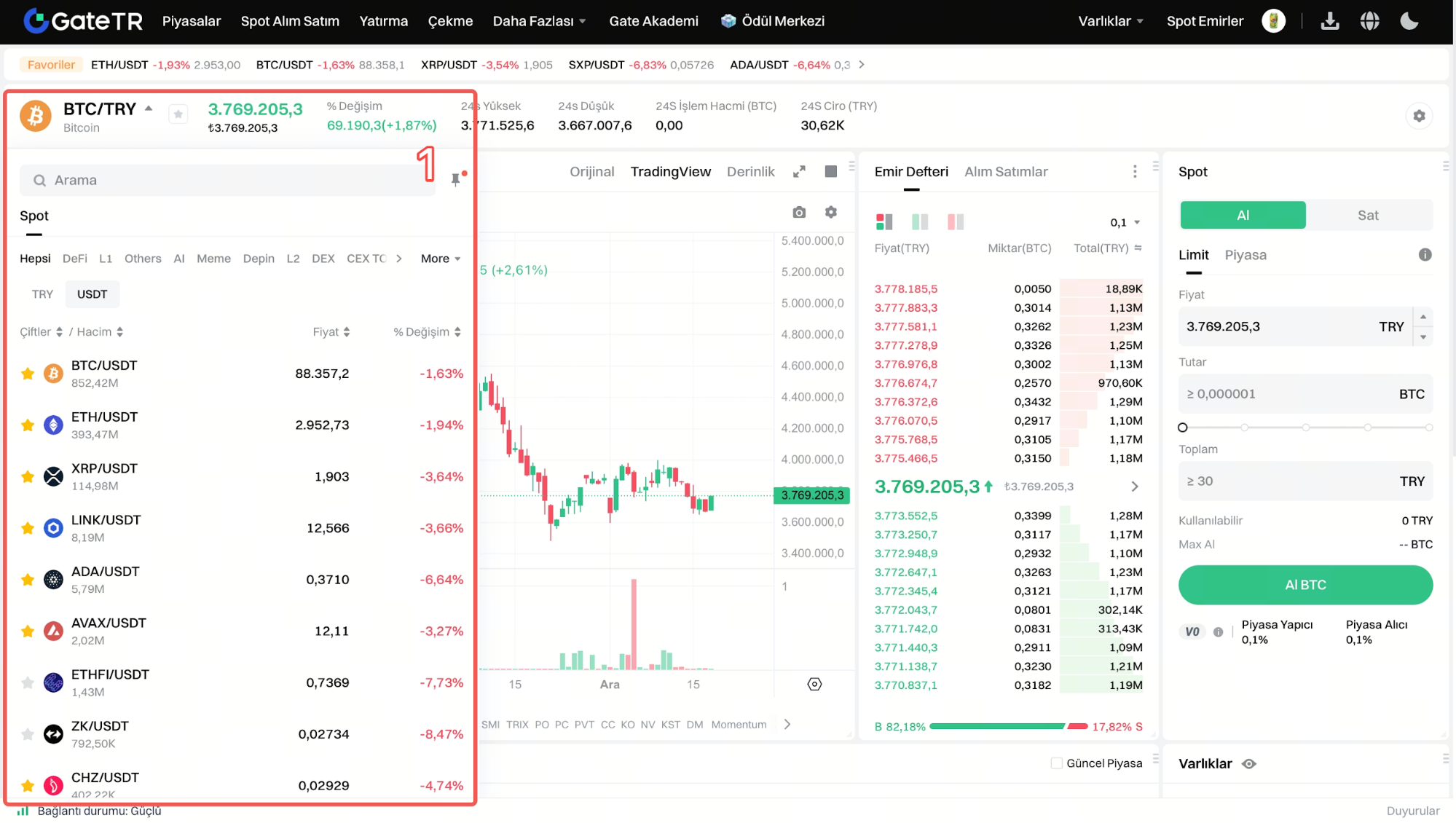
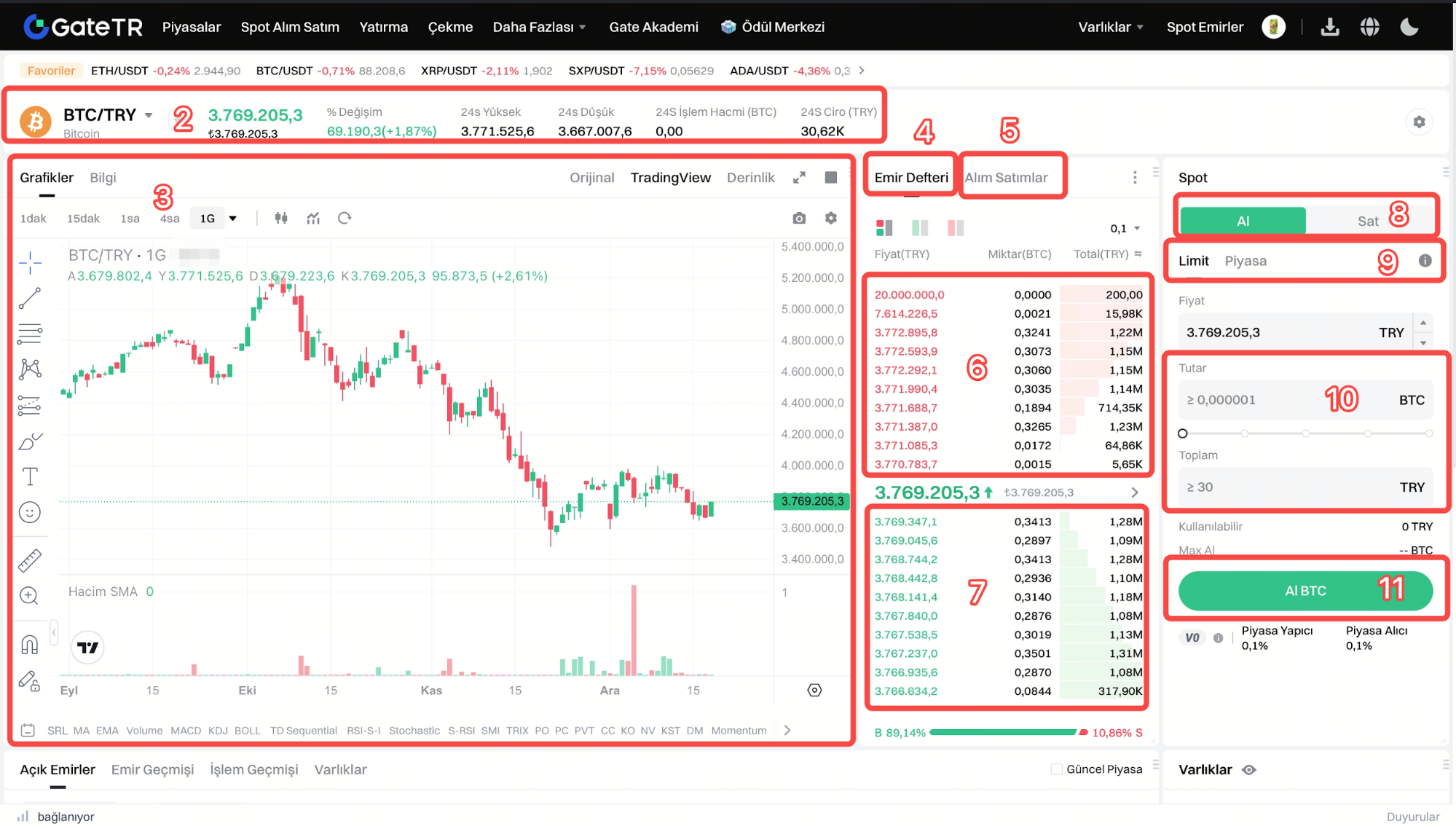
- Markets: List of available trading pairs
- 24H Data: Volume and price changes of the selected pair
- Charts: Candlestick charts and technical analysis tools
- Order Book: Real-time list of buy and sell orders
- Transactions: List of completed transactions
- Sell Orders (Asks)
- Buy Orders (Bids)
- Trade Types: Buy - Sell
- Order Entry Field: Limit, market, etc. order types are entered
- Order Amount: Enter the amount of the transaction in coins or TRY .
- Trade Button: The button used depending on the type of trade being executed.
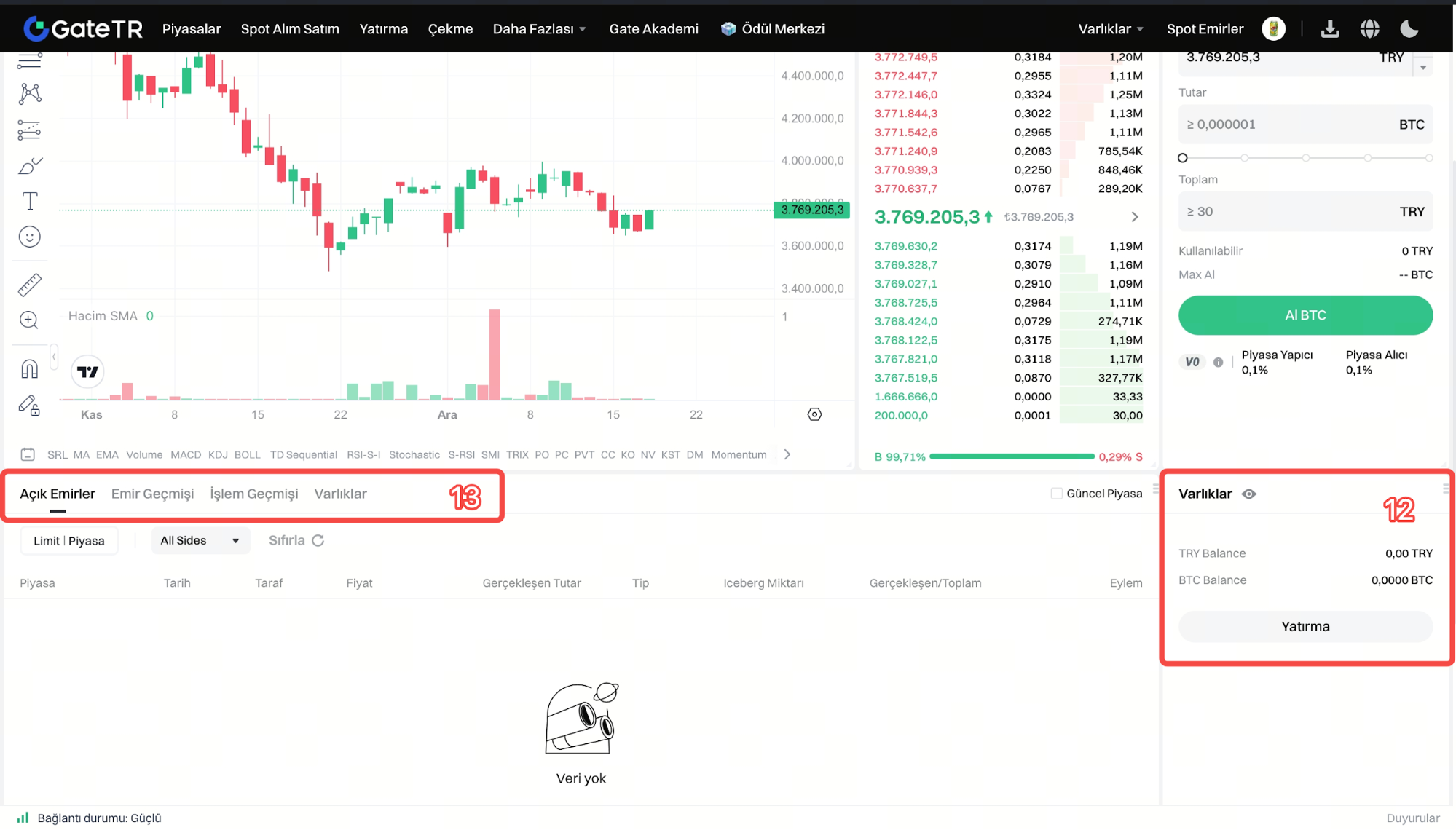
- Assets: View your account balance and funds; if your balance is insufficient, you will be redirected to the deposit page.
- Order Details: Open Orders, Order History, Transaction History, Assets
For any issues, feel free to contact destek@gate.com.tr. You can also use the Gate TR app: go to your profile and tap the microphone icon in the top right to reach the Help Center and speak with a support agent.
You can also submit feedback through our Suggestions & Feedback page to win rewards!
