

The identity verification process for corporate accounts differs from individual users and is only available through our website. Follow the steps below to complete your corporate verification:
Step 1: Log in to your Gate TR account. Click the profile icon at the top right of the page and select Identity Verification from the menu.
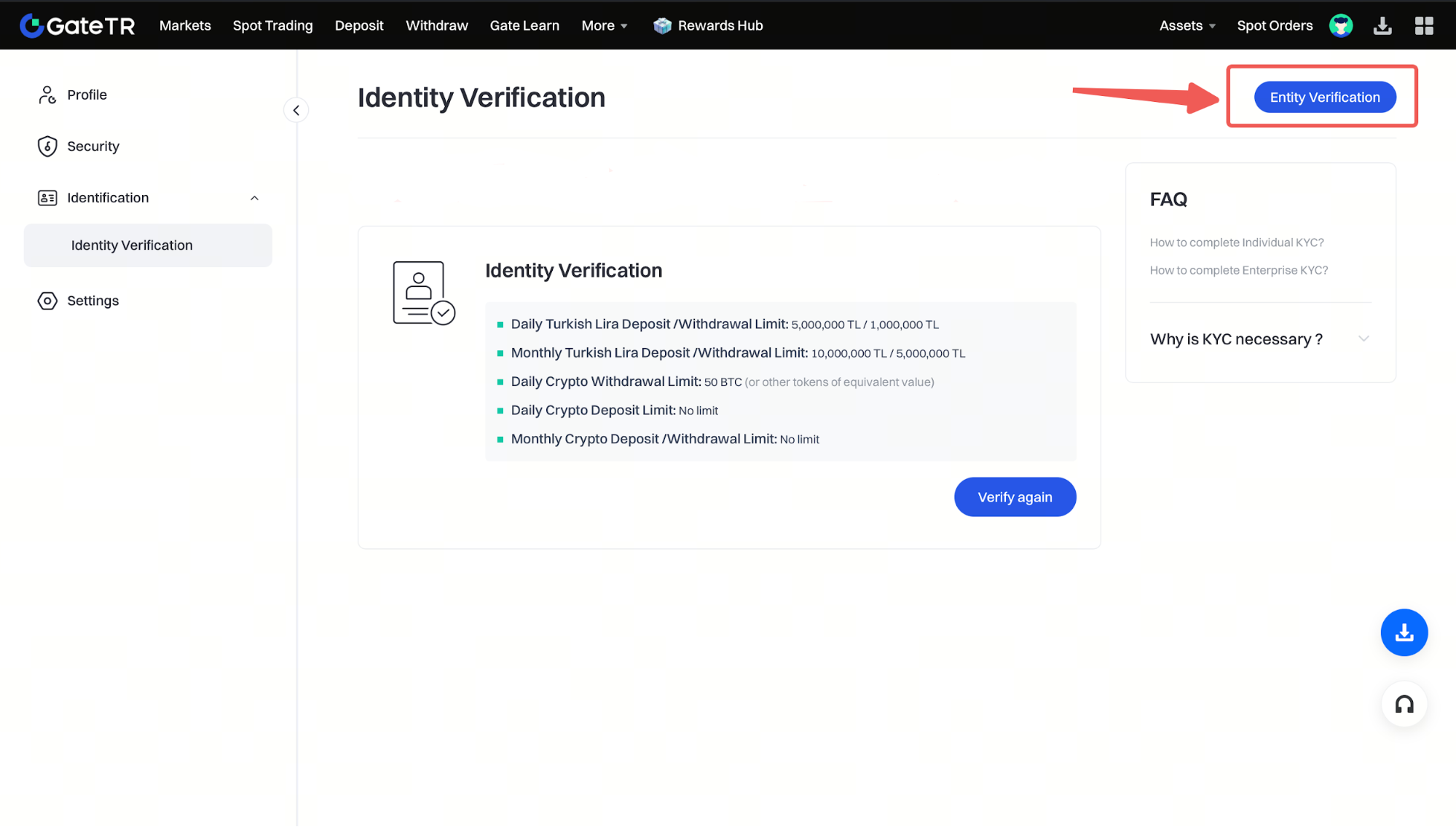
Step 2: Click the Corporate Verification button.
Step 3: On the page that opens, click Verify Now or Verify Again.
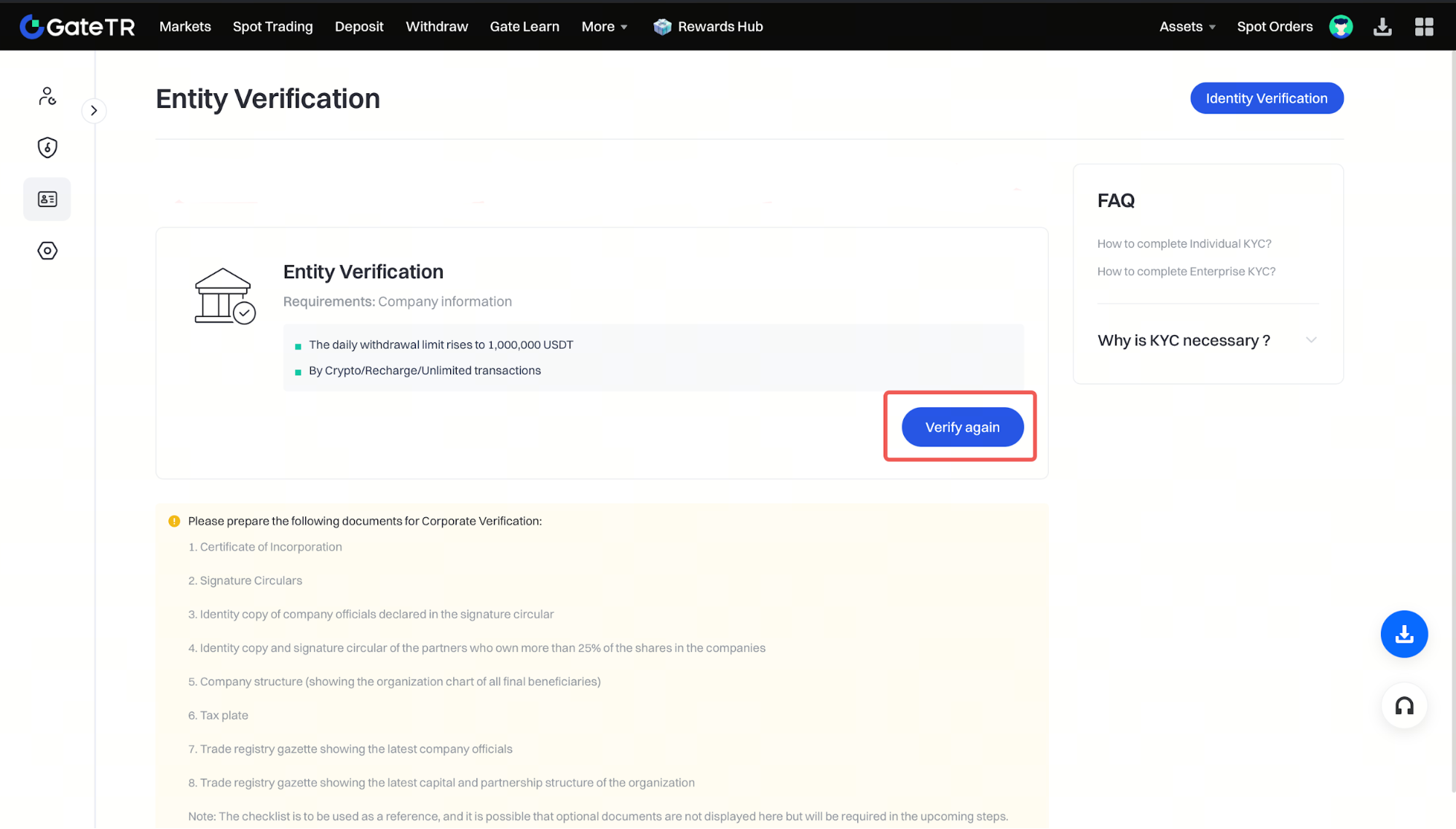
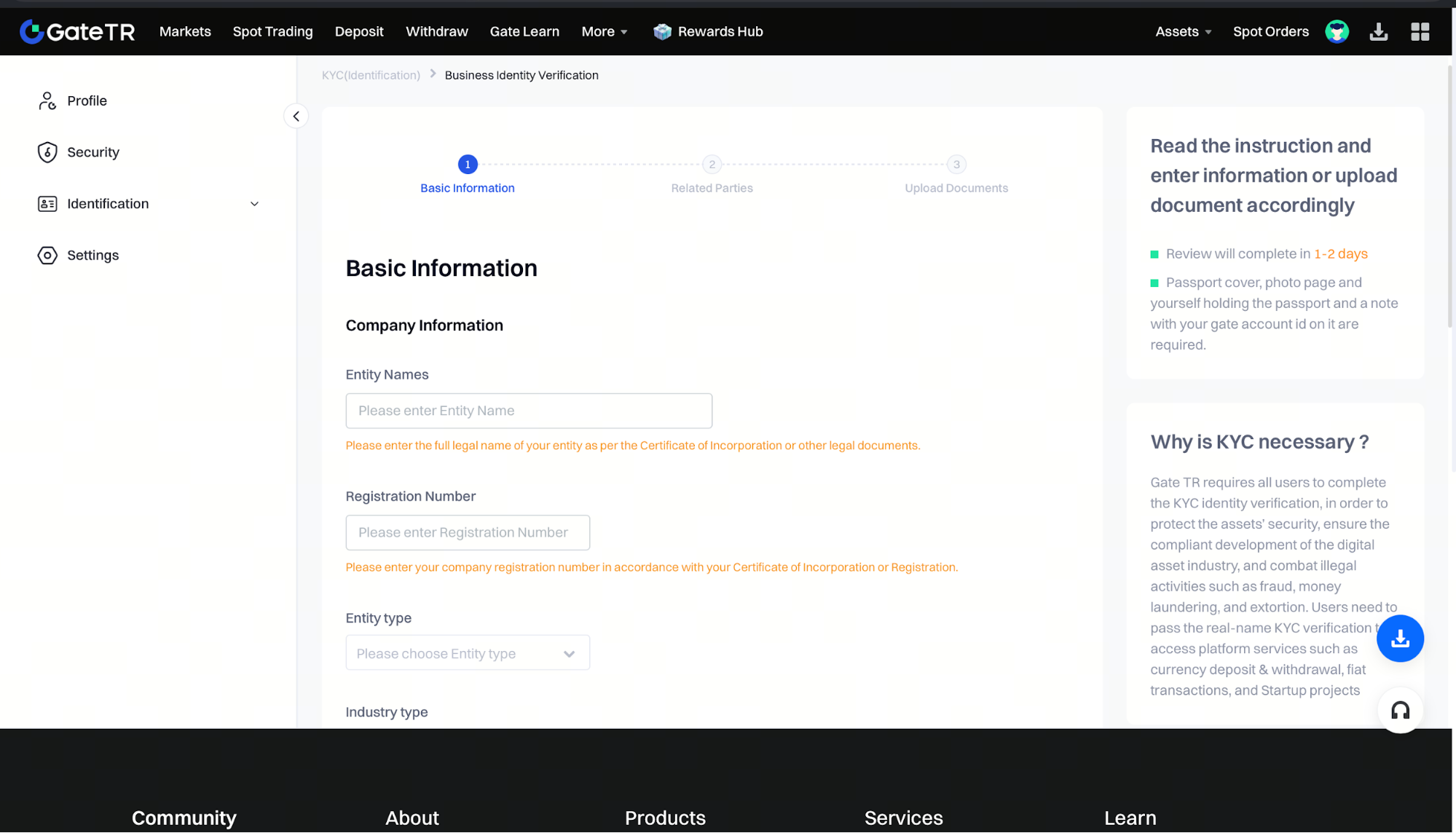
Step 4: Complete the required information across three sections: Basic Information, Related Parties, and Document Upload. You will need to provide the following documents:
- Company Registration Certificate
- Signature Circular
- ID copies of company representatives listed on the signature circular
- ID copies and signature circulars of shareholders owning more than 25% of the company
- Company structure diagram showing all ultimate beneficial owners
- Tax Certificate
- The latest Trade Registry Gazette showing company representatives
- The latest Trade Registry Gazette showing capital and partnership structure
Please note that additional documents may be requested if necessary.
Step 5: In the final stage of opening a corporate account, we will invite the company representative to our office for a wet-ink signature on the required documents. Our corporate support team will coordinate the entire process with you.
Important Notes:
- The review process for corporate identity verification via our website may take up to 2 business days.
- Additional documentation may be requested if needed.
For any issues, feel free to contact destek@gate.com.tr. You can also use the Gate TR app: go to your profile and tap the microphone icon in the top right to reach the Help Center and speak with a support agent.
You can also submit feedback through our Suggestions & Feedback page to win rewards!
